SP3 PREAMP / PROCESSOR
APPENDIX J: FIRMWARE UPLOAD INSTRUCTIONS continued
SP3 Software Upload Instructions Page 2 of 6
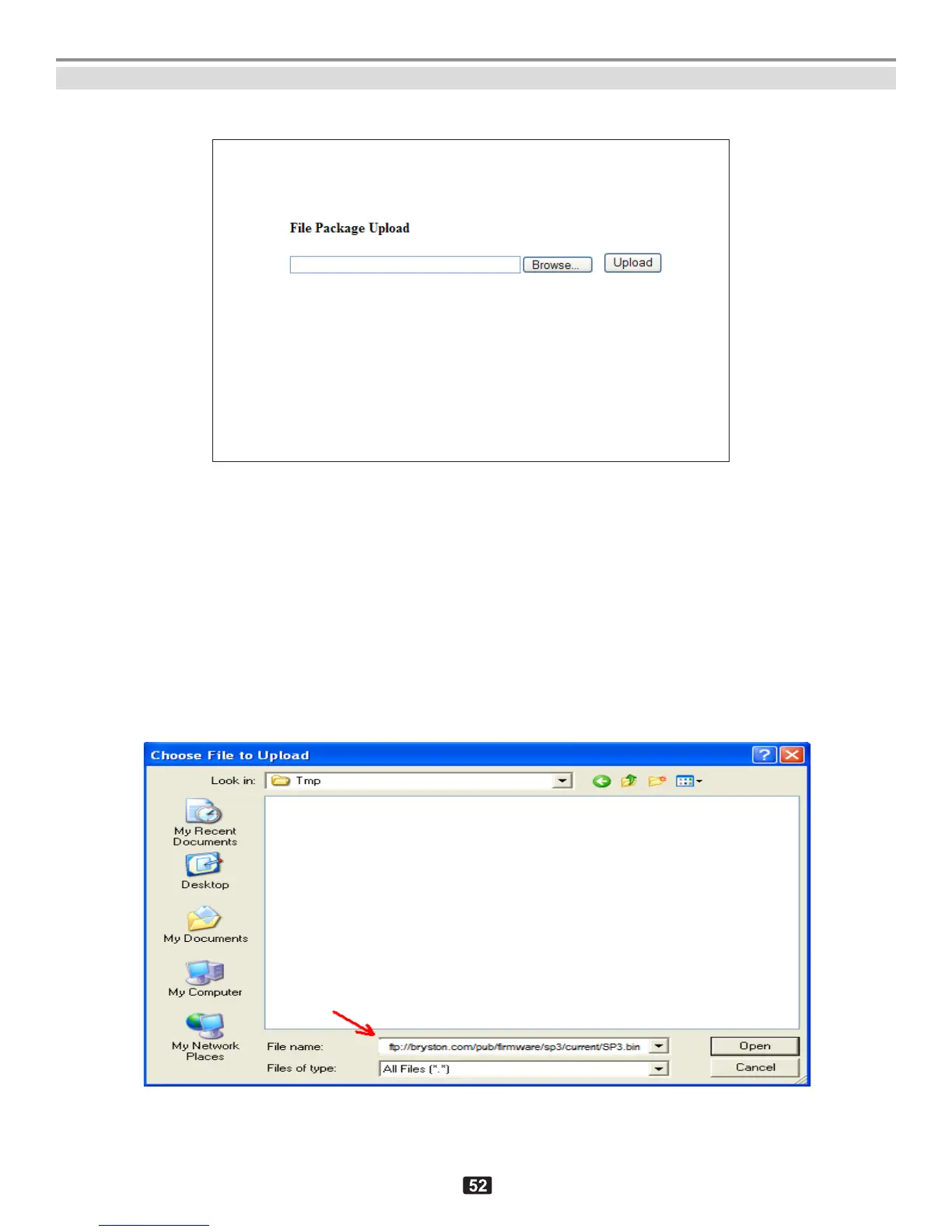
5. Click on the “Upload Image File (.bin)” button to open the next screen:
“File Package Upload” page of the SP3.
6. Click on “Browse” button to select the file, and type the path and name of the
firmware file (case-sensitive). For example:
ftp://bryston.com/pub/firmware/sp3/current/SP3.bin
or, pick the same file from a local directory in your PC, providing that it has already
been copied there, for example:
c:/tmp/SP3.bin
The file name should appear in the “File name” line as below, then click “Open” or
press Enter. to accept selection.
“Choose File to Upload” window (will close when Open is clicked)



 To Next Page