16
Status Indications
The LED (#7 on Radio Overview) will help you to identify the current
radio status.
LED Indication Meaning
Constant Green Receiving Signal
Constant Red Transmitting signal
Flashes Green
Monitor mode/Scanning
Receiving
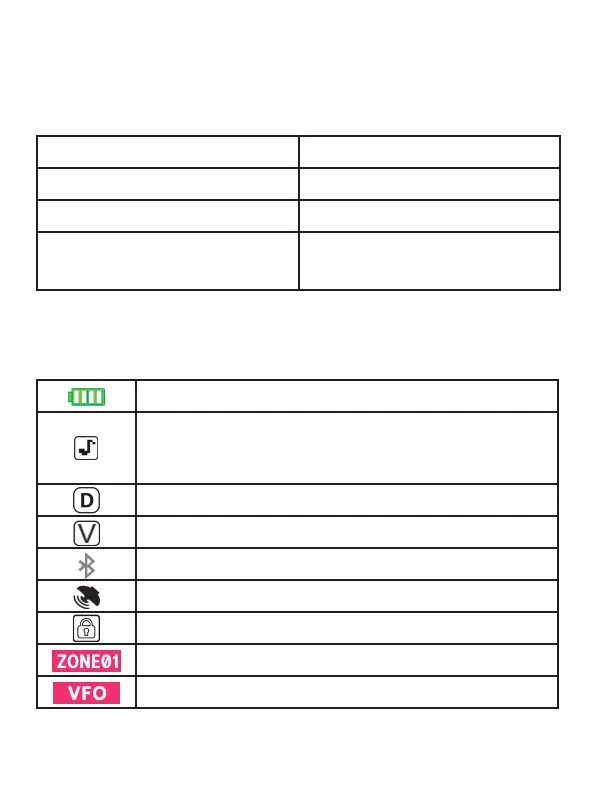
LCD Icon Summary
Battery Level Indicator: Shows battery status.
DTMF Side Tone: Make sure you can hear the DTMF
side tone from the radio speaker, set it to DT-ST, ANI-ST,
or DT+ANI.
Dual Watch Enabled: Indicates dual watch mode.
VOX Enabled: Voice-activated transmit is on.
Bluetooth Function: Bluetooth Function activated.
GPS Enabled: GPS function is on.
Keypad Lock Enabled: Keypad is locked.
Zone: Shows the current zone selected.
VFO Mode: Indicates manual frequency input mode.



 To Next Page