24
repeater's input frequency, press the key momentarily to reverse the
transmit and receive frequencies. The channel attribute bar will display
this change. Press the key again to switch to talkaround mode,
where the receiving frequency equals the transmitting frequency. The
channel attribute bar will display this mode .
TX Repeaters Tone Burst
Press the PTT + SK2 key to send a repeater tone burst (Select the tone
burst via: Menu > Radio Setting > Tone Burst). This function is useful for
communications through repeaters. You can send a tone burst without
unlocking your radio if the keypad lock is enabled. You should rst check
to see if the Tone Burst is required to access the repeater before using.
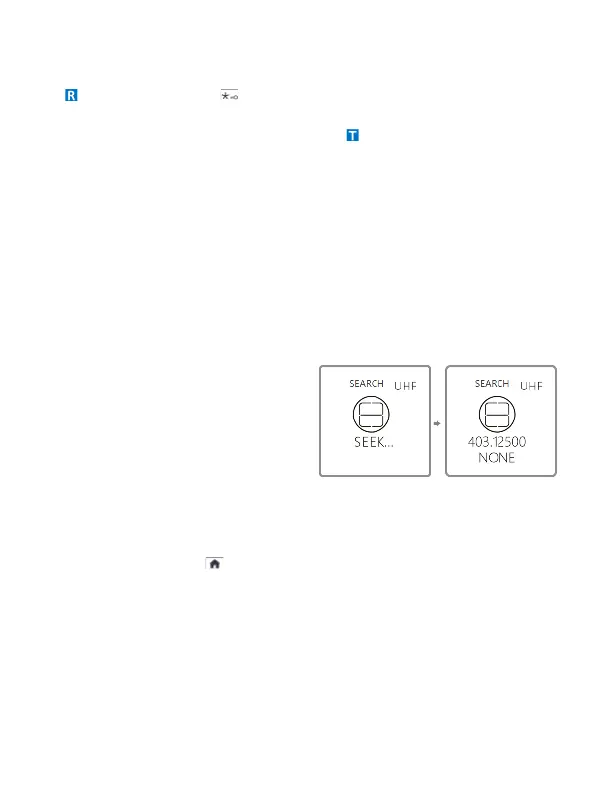
One Touch Frequency Search
• The radio will act as a receiver. Press and hold the V/M key; the
screen will display
"SEARCH SEARCH..."
• If the transmitter continues to
transmit and the unit receives
an effective frequency (the
strongest and most stable
signal), the received frequency
will be displayed. If there is a
CTCSS or DCS code, it will be displayed; if not, "NONE" will be
displayed.
• You can press the key to save the search frequency and CTCSS
or DCS code to a channel.
During frequency search, press the [#] key on the radio to switch
between UHF and VHF bands.



 To Next Page