System Configurations
48
Audible Alert Volume
1. To increase the volume, tap the right volume symbol until the desired
volume is achieved.
2. To lower the volume, tap the left volume symbol until the desired volume
is achieved.
Note: The minimum setting reduces the volume but does not silence the tone.
Screen Brightness
1. To increase the brightness, tap the right circle until the desired brightness
is achieved.
2. To lower the brightness, tap the left circle until the desired brightness is
achieved.
Note: The minimum setting reduces the brightness but does not completely
darken the display.
Selecting Language
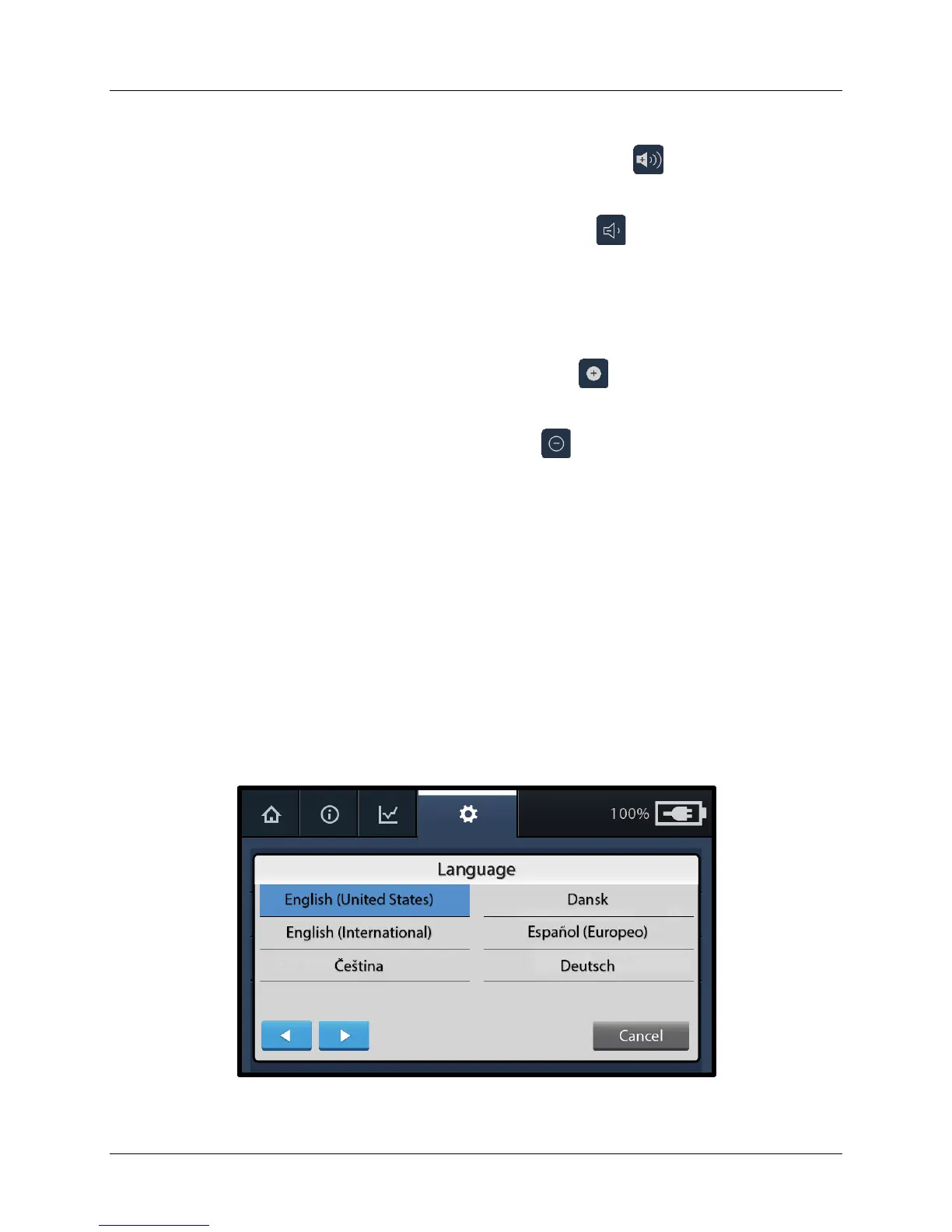
1. To view the list of available languages, press the Select button.
2. From the list of languages, tap the desired language to highlight the selected
language (see Figure 41). If the desired language is not visible on the
screen, use the blue arrow buttons to navigate to other available languages.
Note: Pressing Cancel returns to the main settings menu without changing
the current language setting.
Figure 41. Language Selection Screen


 To Next Page