Overview
9
Displays a configuration menu for setting alert tone
volume, screen brightness and language.
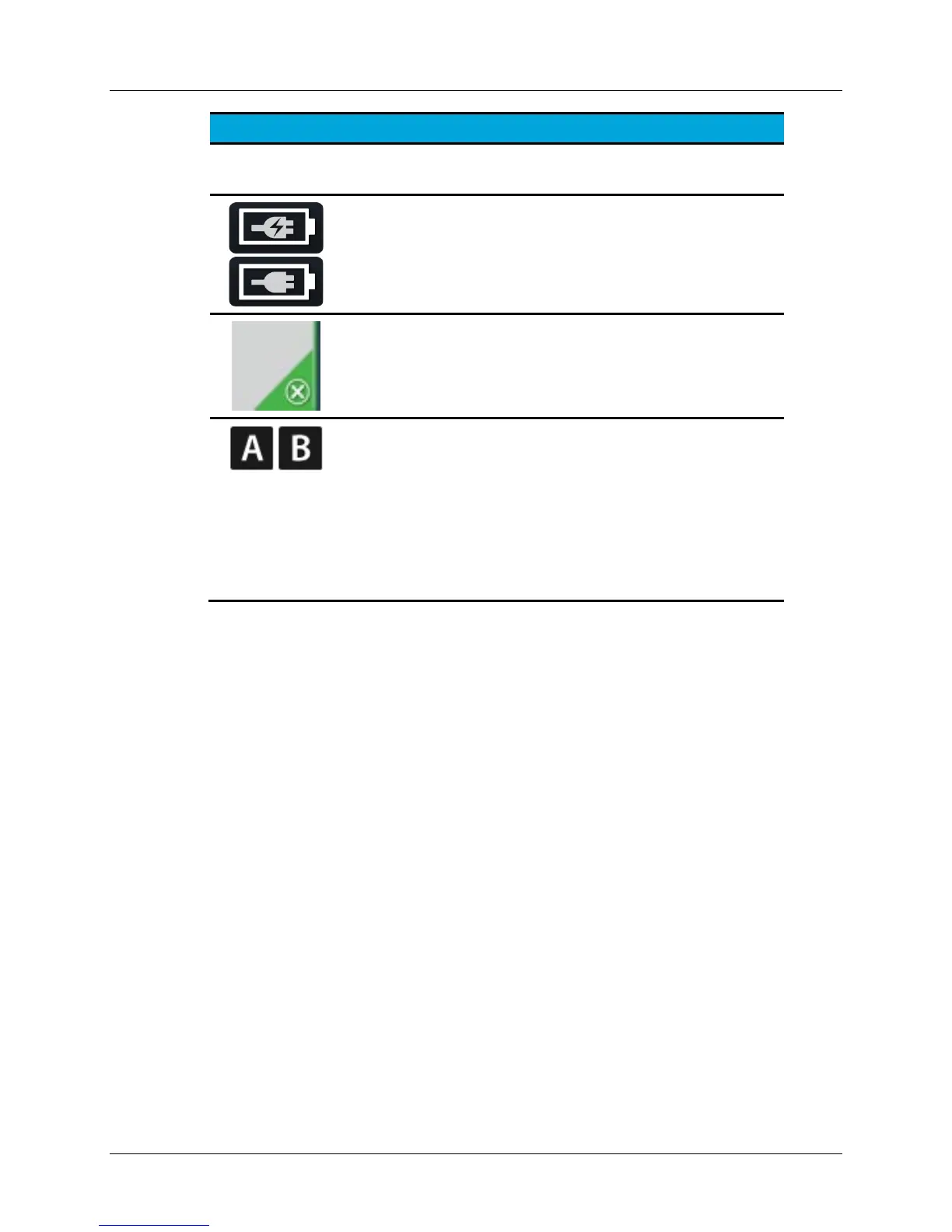
AC Power / Battery Status Indicator:
Provides AC power and battery charge information
when the Control Unit is turned ON.
Disable Button:
Disables channel when “X” icon is pressed.
Disable button may be green, yellow or red.
Channel Identifier:
Indicates channel A or channel B.
Note: Messages and information associated with
channel A are provided in the message area on the left
side of the display; messages and information
associated with Channel B are provided in the message
area on the right side of the display.
Screen Layout – During Ultrasound Therapy
During ultrasound therapy, the display/touch screen provides helpful information to
monitor the ultrasound therapy. This information is provided for each channel
independently and channels can be interacted with separately. The channels are
labeled A and B and can provide energy for up to two devices at the same time.
Additionally, during ultrasound therapy, the display/touch screen continues to provide
menu tabs to navigate to other screens and indicates the current AC power/battery
status (see Figure 6)


 To Next Page