EasyManua.ls Logo

BTG EKOS - User Manual

BTG EKOS
71 pages
Print Icon
To Next Page IconTo Next Page
Loading...
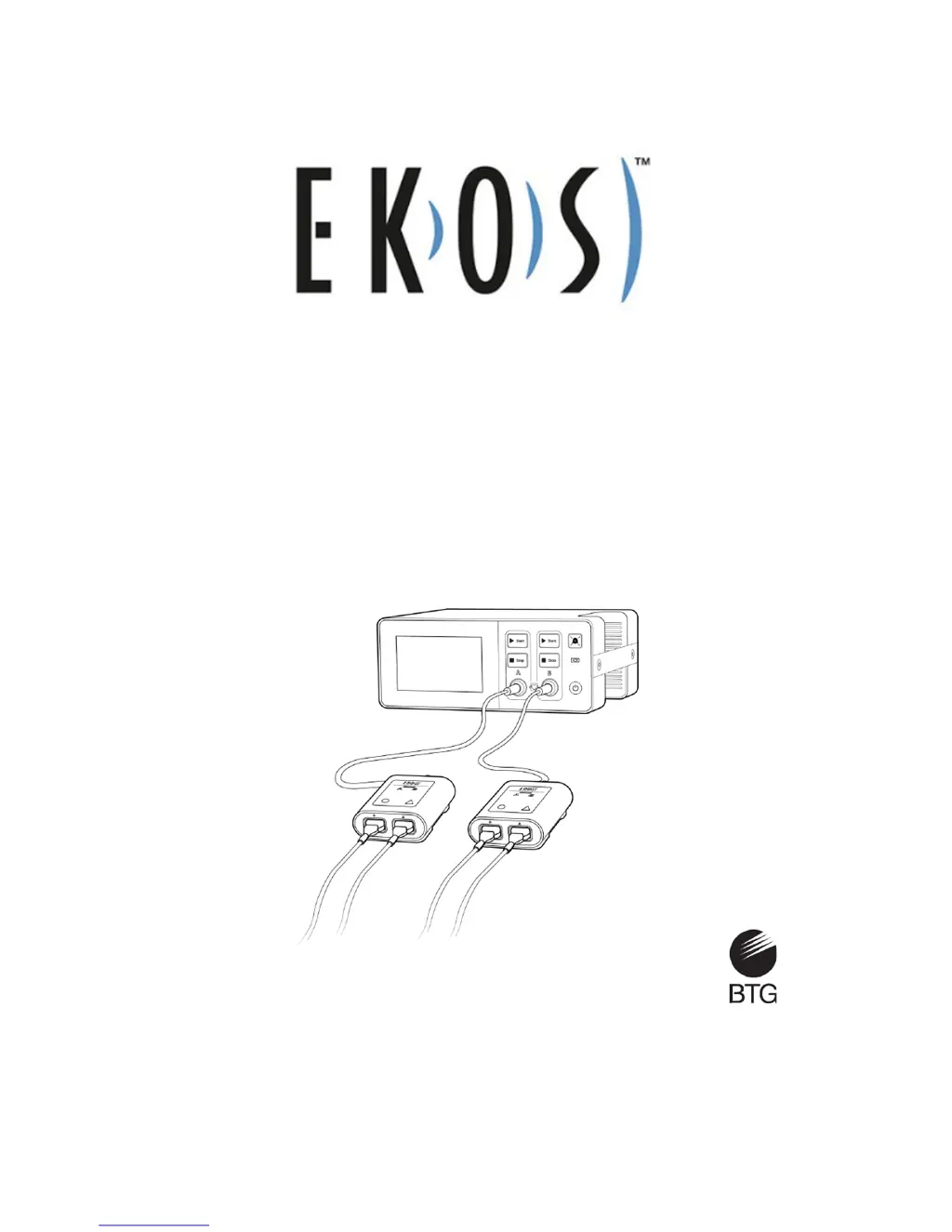
EKOS™ Control System 4.0
Instructions for Use
Caution: Federal law restricts this device to use by or on the order of a physician.
Part number: 8490099 Rev J

Questions and Answers

  • J
    Janice FloresAug 18, 2025
    What to do if my BTG EKOS Control Systems unit shows a critically low battery?
    • J
      John RobertsAug 18, 2025
      If the BTG Control Systems unit displays a critically low battery warning, it means the unit isn't connected to AC power and the battery has dropped to 5% or less. The system will shut down automatically in 3 minutes. To resolve this, connect the Control Unit to AC power.
  • D
    Dean CollinsAug 21, 2025
    How to cool down a BTG Control Systems unit that is too hot?
    • J
      Jaclyn LongAug 21, 2025
      If your BTG Control Systems unit is too hot, it means the internal temperature exceeds the maximum operating temperature. First, make sure that the blue cooling vents under the handle are not blocked. Then, wait for the Control Unit to cool down.
  • W
    wheelerstevenAug 23, 2025
    What to do if BTG Control Systems shows battery/charge error when AC is not connected?
    • J
      Joshua BurkeAug 23, 2025
      If you receive a battery/charge error on your BTG Control Systems unit when it's not connected to AC power, it indicates a battery issue. The Control Unit will automatically shut down in 3 minutes. The solution is to connect the Control Unit to AC power.
  • C
    Christopher EdwardsAug 26, 2025
    How to fix 'Check the catheter connector' error on BTG EKOS Control Systems?
    • E
      Eric AndersonAug 26, 2025
      If you receive a 'Check the catheter connector' message on your BTG Control Systems, it indicates a poor connection or a wet Infusion Catheter connector. Here's what to do: 1. Disconnect the Infusion Catheter. 2. Check for any fluid or damage to the pins. 3. Dry the connector if it's wet. 4. Reconnect the Infusion Catheter securely. 5. Resume ultrasound.
  • J
    Joseph HartmanAug 27, 2025
    How to troubleshoot 'Check the Ultrasound connector' error on BTG Control Systems?
    • C
      Christopher YoungAug 28, 2025
      If your BTG Control Systems displays 'Check the Ultrasound connector', it means there's a poor connection of the Ultrasonic Core or the connector is wet. Follow these steps: 1. Disconnect the Ultrasonic Core. 2. Inspect for fluid or damage to the pins. 3. Dry the Ultrasonic Core connector if necessary. 4. Reconnect the Ultrasonic Core securely. 5. Resume ultrasound.
  • E
    Elizabeth EvansAug 30, 2025
    What to do if BTG EKOS says device cables are crossed?
    • K
      Keith StephensonAug 30, 2025
      If the BTG Control Systems displays that device cables are crossed, it means the cables are cross-connected between two different Connector Interface Cables. To fix this: 1. Disconnect all device connectors. 2. Reconnect them, making sure the Infusion Catheter and Ultrasonic Core from a single EkoSonic™ Device are connected to the same Connector Interface Cable. 3. Press Start to begin ultrasound.
  • D
    dannyhuntSep 1, 2025
    How to ensure Ultrasonic Core is fully inserted in catheter in BTG EKOS Control Systems?
    • J
      Justin WilsonSep 1, 2025
      If you get a message on your BTG Control Systems to ensure the Ultrasonic Core is fully inserted in the catheter, it means the core isn't fully inserted while ultrasound is running. Make sure the Ultrasonic Core is completely inserted into the Infusion Catheter, then resume ultrasound.
  • C
    Corey BerrySep 3, 2025
    What does 'Check the device connectors' mean on BTG EKOS Control Systems?
    • C
      Courtney CoxSep 4, 2025
      If the BTG Control Systems displays 'Check the device connectors', it indicates a poor connection of the Infusion Catheter and Ultrasonic Core, or the connectors are wet. Here’s how to resolve it: 1. Disconnect the Infusion Catheter and Ultrasonic Core from the Connector Interface Cable. 2. Inspect for fluid or damage to the pins. 3. Dry the connectors if necessary. 4. Reconnect the Infusion Catheter and Ultrasonic Core securely. 5. Resume ultrasound therapy.
  • H
    hughesvanessaSep 6, 2025
    What to do if BTG Control Systems unit says it is too cold?
    • P
      Peter HuffmanSep 6, 2025
      If the BTG Control Systems unit indicates that it is too cold, it means the internal temperature has dropped below the operating temperature. To solve this, place the Control Unit in a warmer environment and wait for it to warm up to room temperature. Once the message disappears, you can resume ultrasound.
  • L
    Lee WilsonSep 8, 2025
    How to check Connector Interface Cable connection to the Control Unit BTG?
    • K
      kyleclarkSep 8, 2025
      If the BTG Control Systems prompts you to check the Connector Interface Cable connection, it means the cable has become disconnected from the Control Unit during operation. Ensure the Connector Interface Cable is securely connected to the Control Unit.

Summary

General Information

EKOS Control System 4.0

Information on the Control Unit, cables, and its functions for ultrasound therapy.

System Components and Interface

Safety Information

Warnings and Precautions

Crucial safety statements for operating the Control Unit to prevent injury or damage.

Power Management

AC Power and Battery Operation

Details AC power use, battery charging, and status indicators.

Battery Status and Alerts

Explains battery gauge, low battery, critically low battery, and error notifications.

Ultrasound Therapy Operation

Setup and Starting Therapy

Guides through preparing the system and initiating ultrasound therapy.

Performance Monitoring

Troubleshooting

System and Channel Errors

Identifies system and channel errors, their causes, and resolution steps.

Specifications

BTG EKOS Specifications

General IconGeneral
ManufacturerBTG
ModelEKOS
Input Voltage24 VDC
Power Consumption10 W
Communication ProtocolModbus RTU
Protection ClassIP20
CategoryControl Systems
Operating Temperature0 to 50°C