Installation and Connections
SM-DIN/MULTILOOP.. - 2.6 -
at the end of the procedure to go back to BOARD SETUP menu
The WRK PARAMETERS – HTP SENSORS menu will be different, depending on the CUBE or CUBE 2-3 selection.
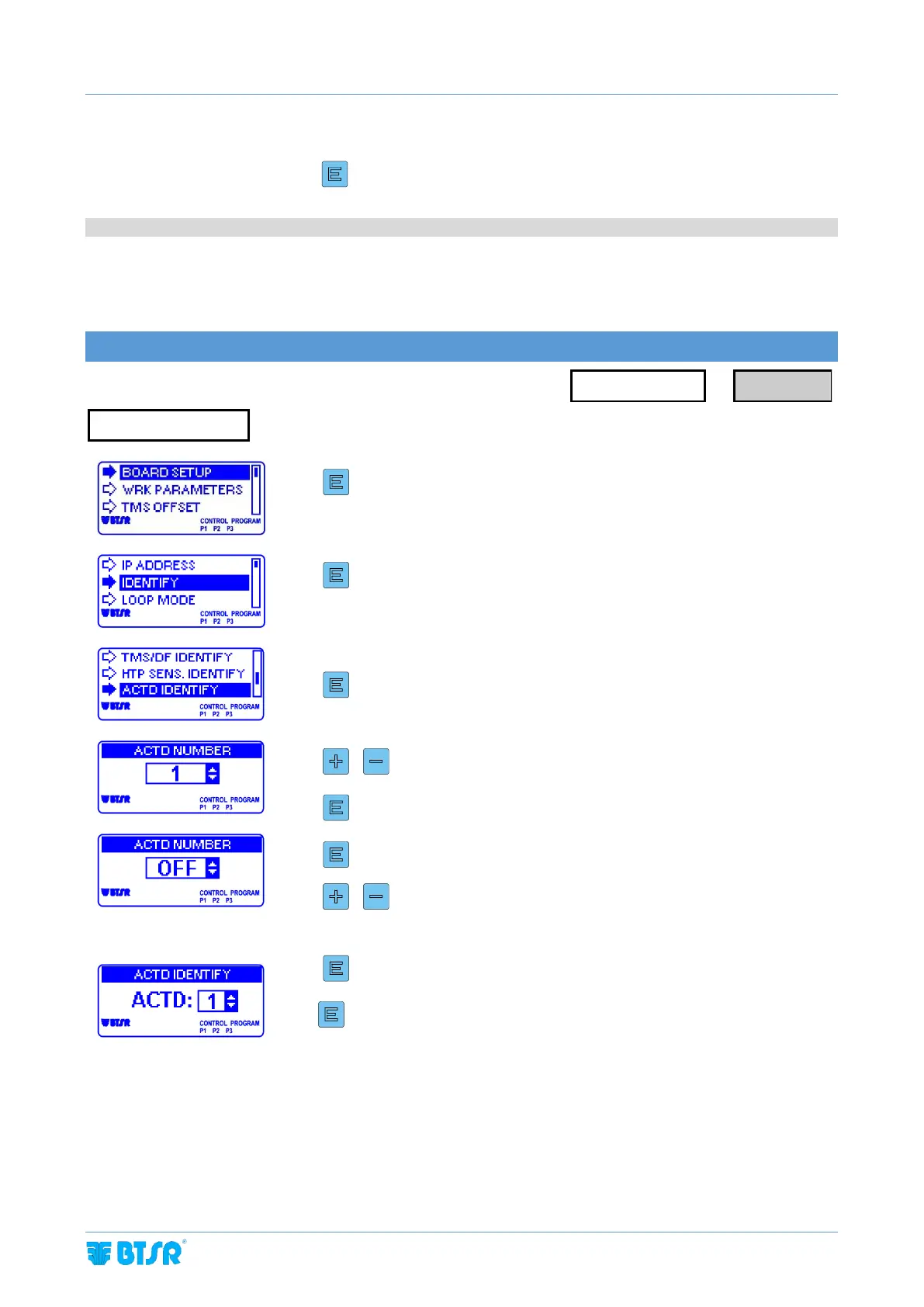
ACTD DEVICES IDENTIFICATION
(Only for service/optional devices)
Enter the BOARD SETUP menu
To increase/decrease the value
to confirm and go to next parameter
To move from one parameter to the other
To increase/decrease the value. This parameter corresponds to the
number to be assigned to the first sensor/device to be identified. (if
sensor not present select OFF)
To start the device identification
3 sec to confirm and go back to BOARD SETUP menu



 To Next Page