Installation and Connections
SM-DIN/MULTILOOP.. - 2.22 -
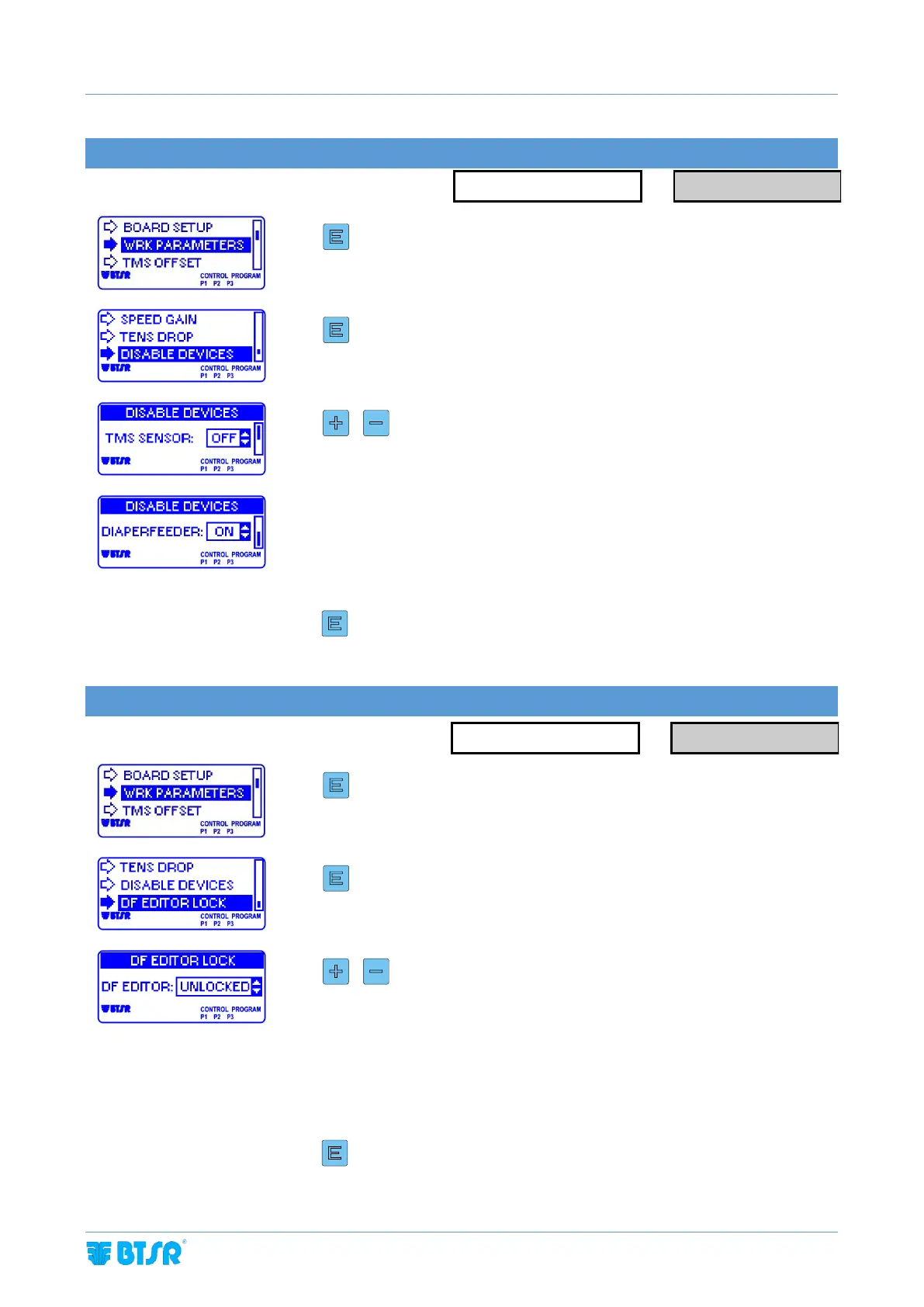
DISABLE DEVICE
Enter the WRK PARAMETERS menu.
To change the parameter value
This parameter allows to disable DIAPERFEEDERs or TMS/TS55 in case of issues with
specific device or for special configurations
ON = device enabled
OFF = device disabled
3 sec to confirm and go back to WRK PARAMETERS menu
Enter the WRK PARAMETERS menu.
To change the parameter value
This parameter allows to lock local settings from DIAPERFEEDERs led buttons
UNLOCKED = device local menu enabled
LOCKED = device local menu disabled
3 sec to confirm and go back to WRK PARAMETERS menu



 To Next Page