Instruction Manual
20
06/23
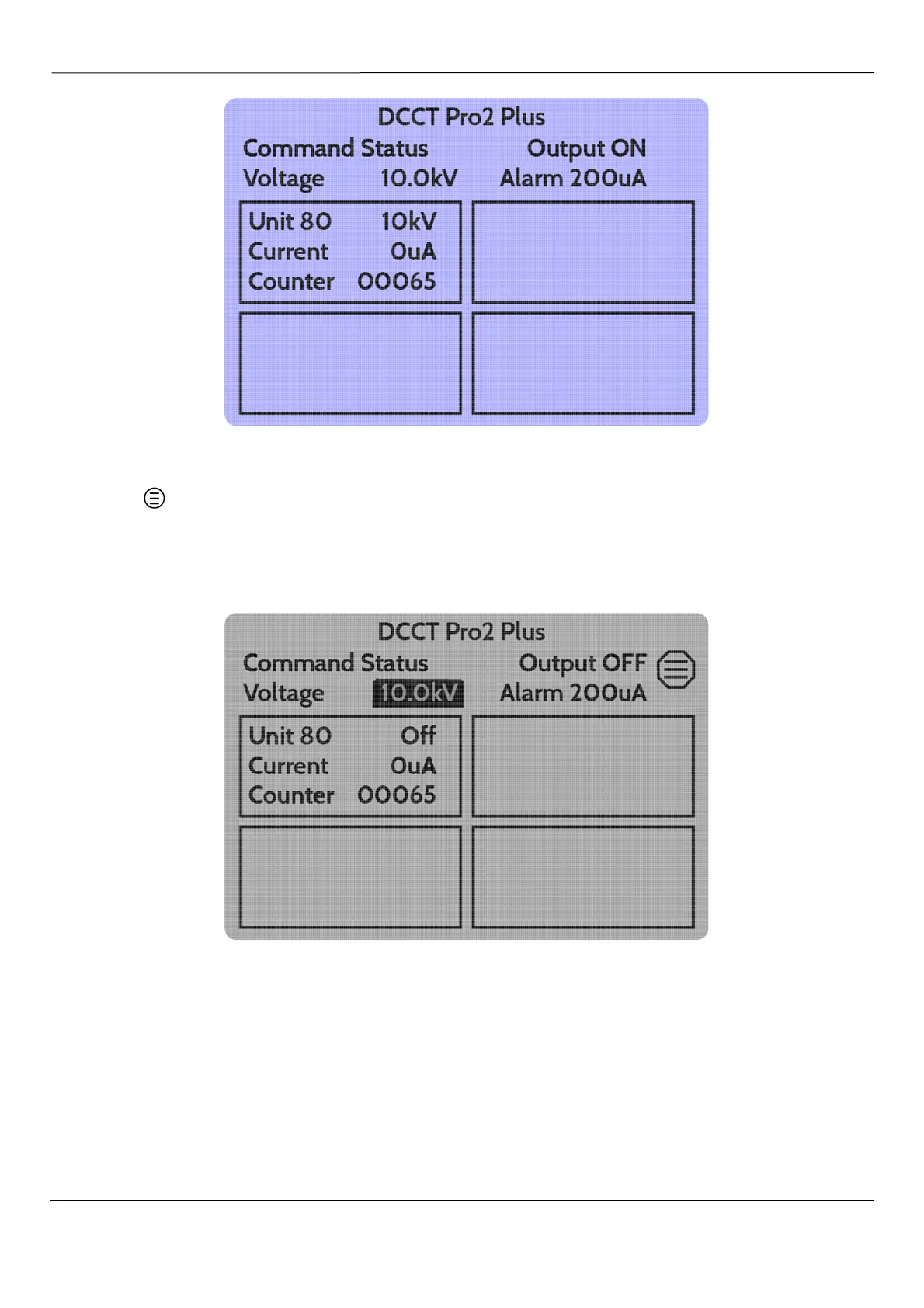
Fig 18 – Home Screen – HV Energised
Pressing the button again will turn HV off and the screen will return to the previous version.
The symbol indicates that the
b
button will access the Main Menu.
Use of the
d
and
e
buttons will highlight through the Voltage set point, Alarm Threshold set point and
the windows for each connected output unit in turn. When an item has been selected, the text will
invert (white on black) or the selected window border will be bold.
Fig 19 – Voltage Set Point Select on Home Screen



 To Next Page