06/23
19
Instrument Setup – User Menus
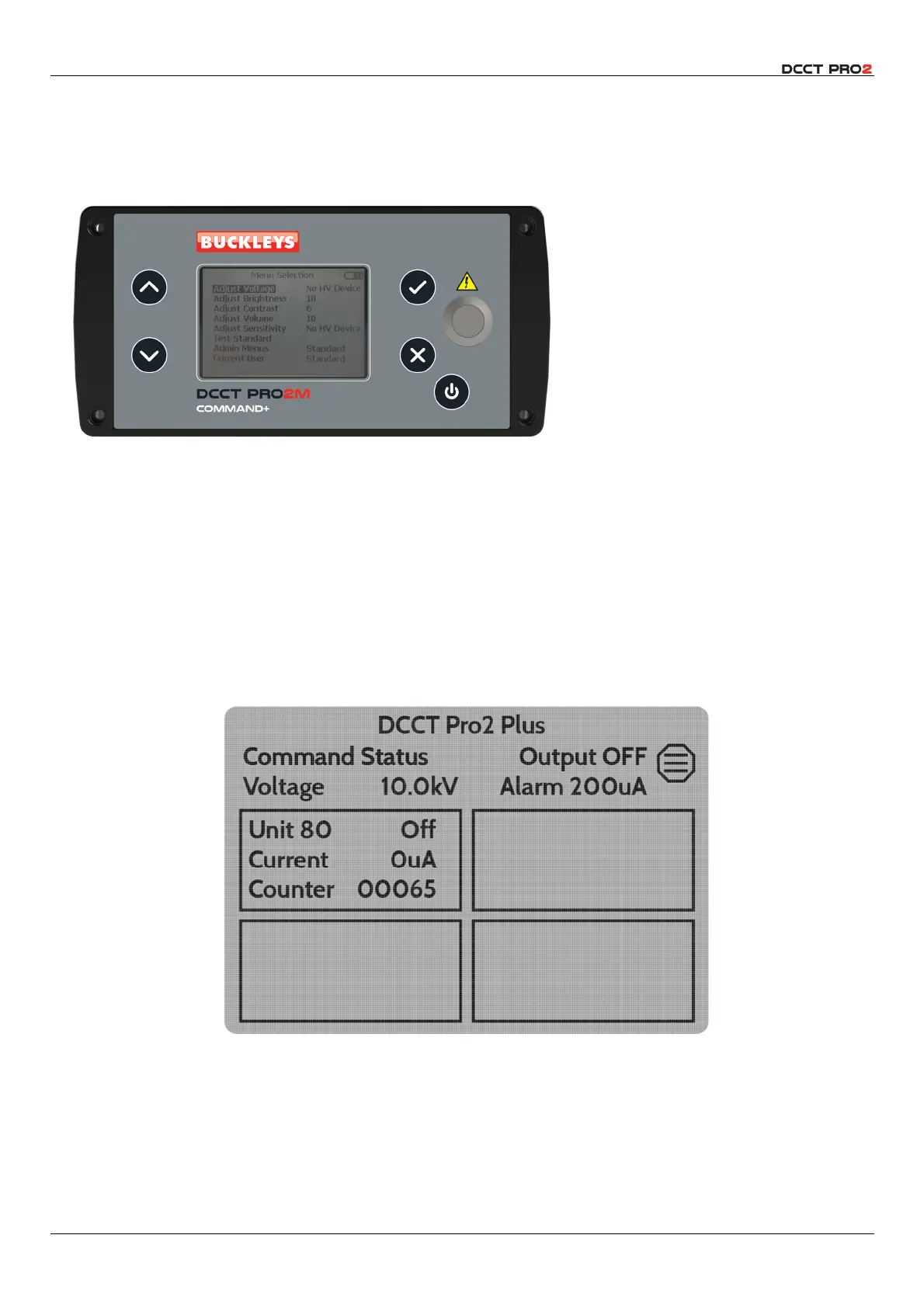
The DCCT instruments are controlled via the on-screen menus, and the soft keys on the front panel. The
metal button marked with the yellow warning symbol is used to energise the HV output.
Access on-screen menu by pressing
the
b
button which is also used to
select menu options and/or confirm
adjustment of set values.
The
d
and
e
buttons are used to
scroll up and down the menus, and
to increase or decrease set values.
The
c
button is used to close menu
items without modification and to
return to the home screen.
The instrument is turned on and off
with the
a
button. When this is
used, the settings will be retained.
Fig 16 – User Interface Controls
Home Screen
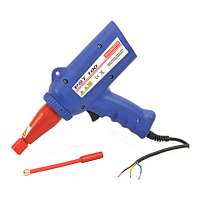
The home screen display shows the overall status of the instrument and any connected output units.
The set-point voltage is 10kV and the alarm threshold current has been set to 200µA. The unit is currently
not generating HV.
Each connected channel will display the Unit ID (80 in this case) and the status, the detected current
and the fault counter in a box.
Fig 17 – Home Screen – HV Not Energised
Energising HV, by pressing the metal button, will change the backlight to blue to signify that HV is
present on the output of the instrument and the Command Status will indicate
Output ON
.
The connected channel(s) will change to show the output voltage, which will normally match the set-
point, and the actual current will be displayed. The Menu option is disabled.



 To Next Page