Extended functions
7
Logamatic 4321/4322 - Technical specifications are subject to change without prior notice.
26
7 Extended functions
The extended functions are explained in this chapter. You need the extended
functions to be able to change the factory settings of your heating system. You
may use the following functions:
– Display the current operating values of your heating system
– Set the time
– Set date
– Adjust heating zones
– Select a heating program
– Set the room temperature for additional heating zones
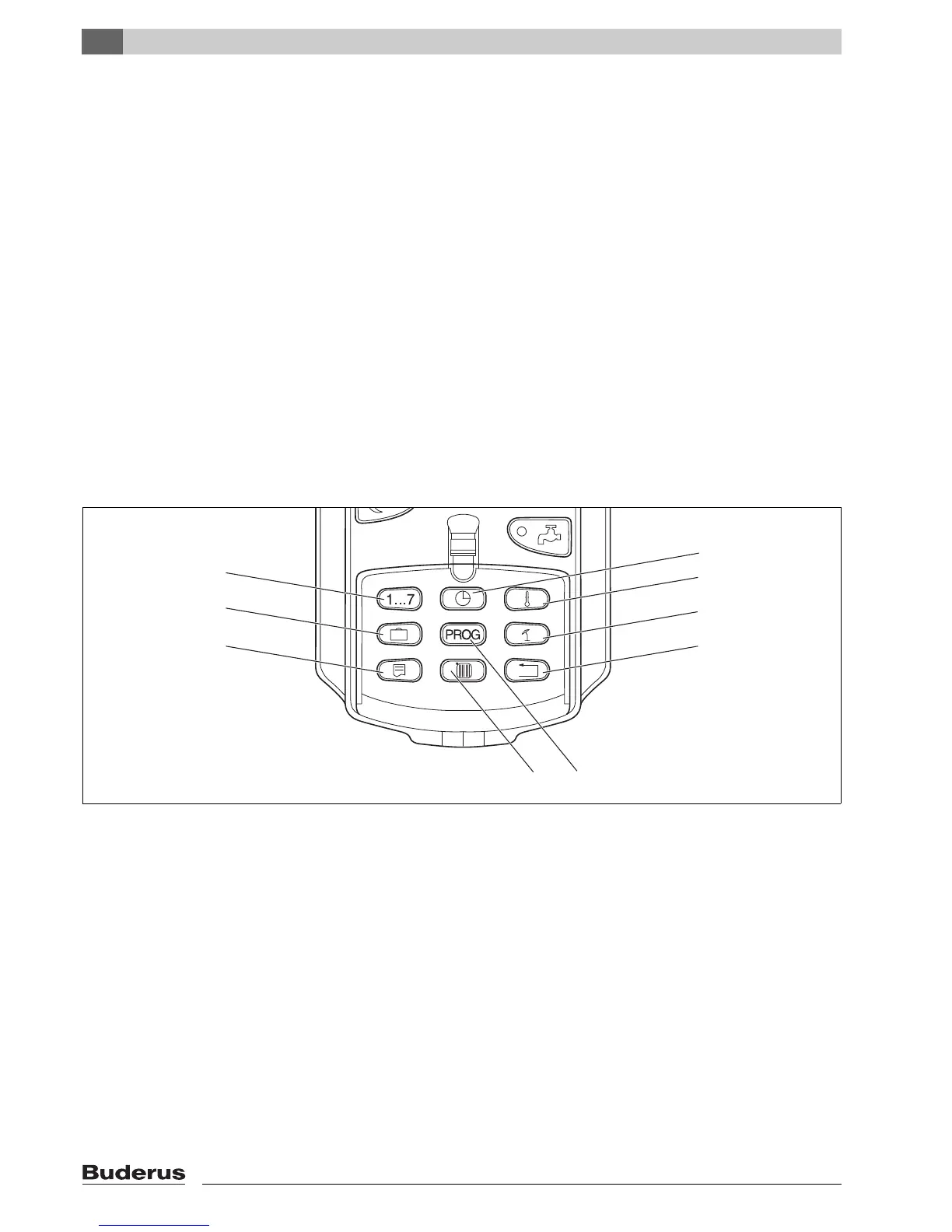
The buttons for the extended functions are located behind the flap of the MEC2
remote control.
7.1 Buttons for extended functions
Fig. 11 Buttons for the extended functions
1 Input day
2 Input vacation days
3 Select standard display
4 Set the time
5 Change temperature values
6 Warm weather shut down (WWSD) temperature
7 Back to standard display
8 Select a timer program
9 Select heating zones/DHW zone
1
2
3
4
5
6
7
8
9
7 747 012 073-01.1RS



 To Next Page