Extended functions
7
Logamatic 4321/4322 - Technical specifications are subject to change without prior notice.
36
7.10 Selecting a standard program
The MEC2 remote control is equipped with eight different, preset heating
programs that act as standard programs. See the following page for a summary
of the preset times of the standard programs.
Please check which standard program best meets your requirements. First
check the number of set points, and then the times. The "family" program is
preset at the factory.
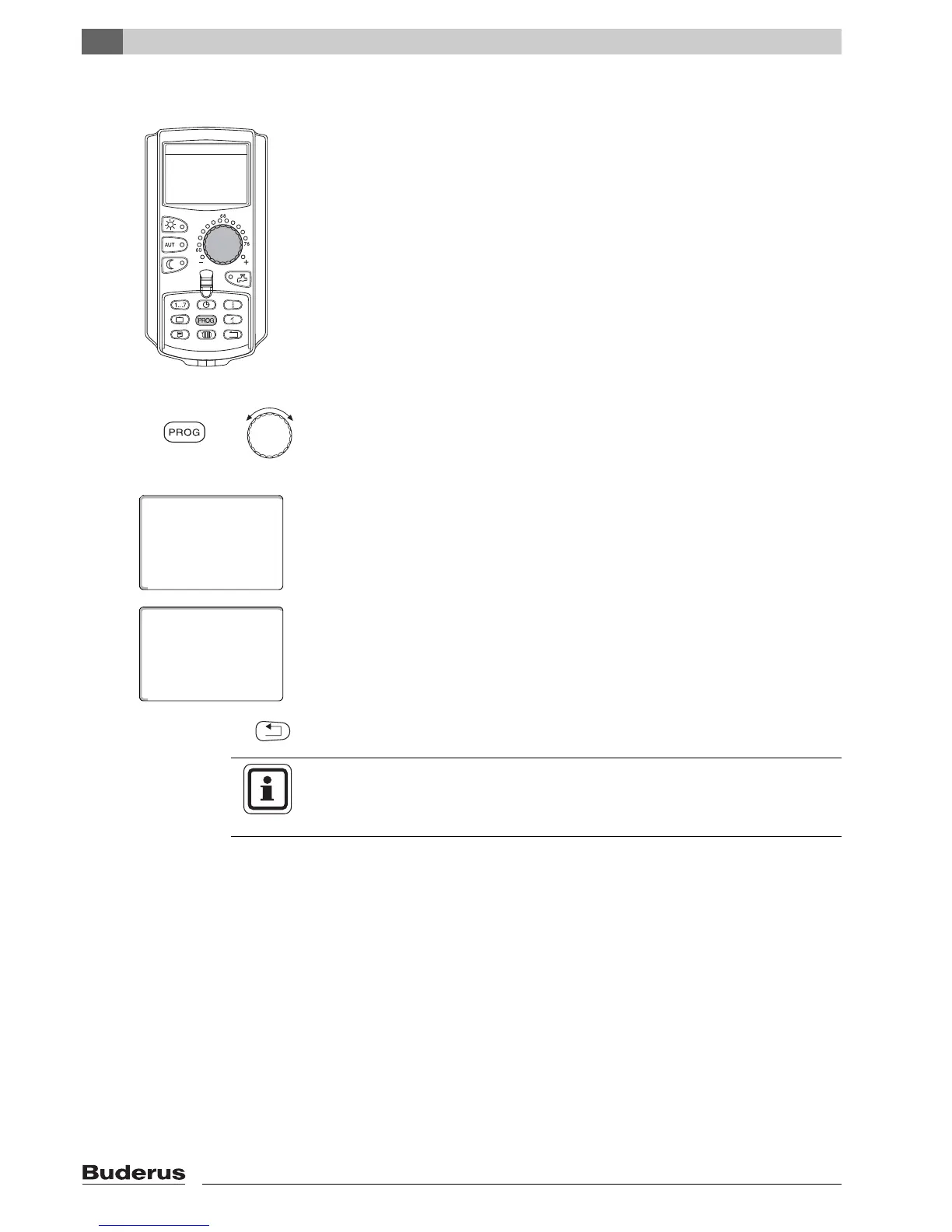
z Open flap.
z Select a heating zone (Æ Chapter 7.6).
Press and hold down "PROG". Initially the selected heating zone is displayed for
setting the standard program. Approximately 2 seconds later the designation of
the currently selected standard program will appear.
Select the desired standard program with the dial (here: "seniors").
Release the "PROG" button. The displayed program is now selected.
The display shows the program designation and the first set point for the
selected heating program (here "seniors' program").
Press "Back" to return to the permanent display.
+
timer
program selction
seniors
seniors' program
Monday
70°F
at 05:30am
USER NOTE
Switching programs are only effective in automatic mode (Æ Chapter 6.3.1).



 To Next Page