Controls and MEC2 remote control
5
Logamatic 4321/4322 - Technical specifications are subject to change without prior notice.
16
5.3 Switching on the control
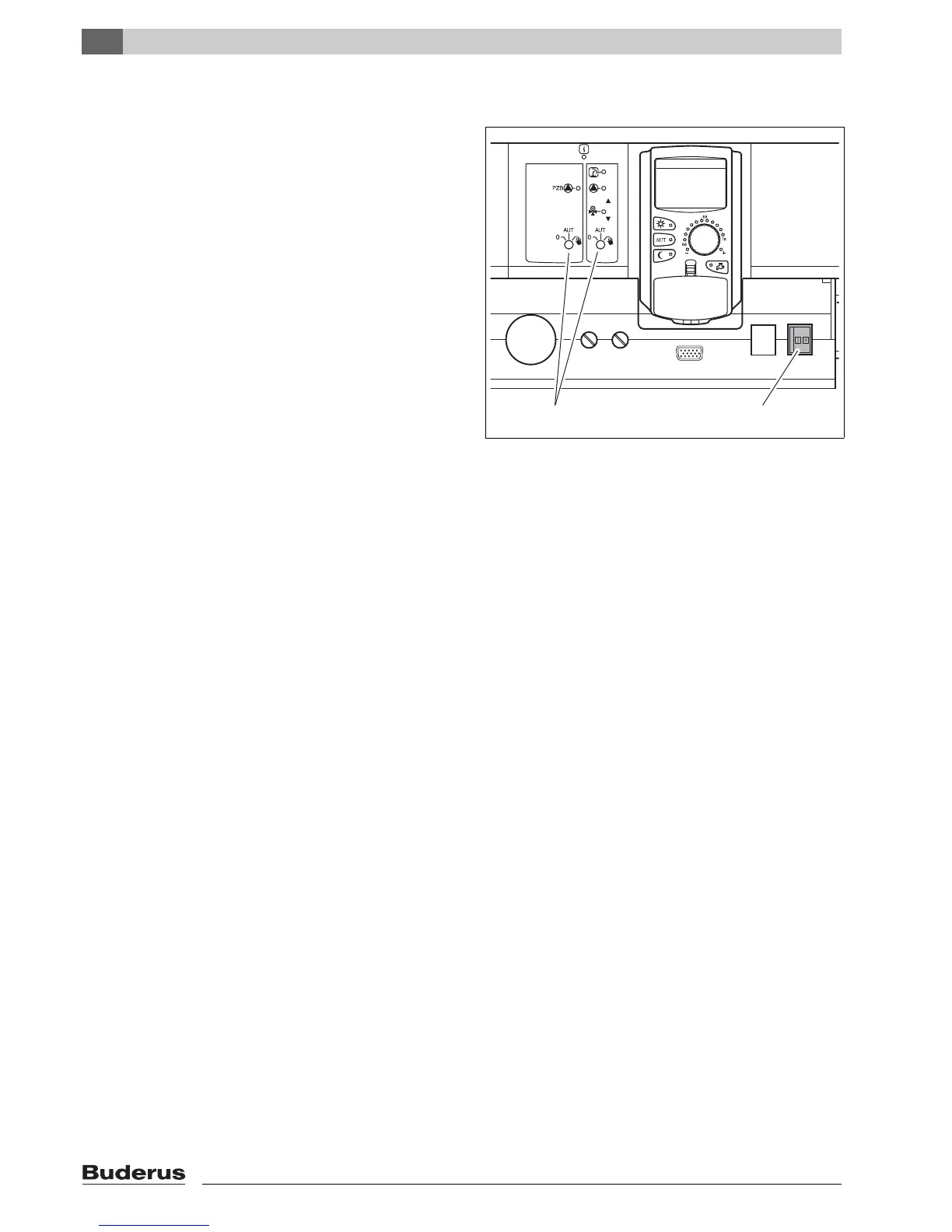
z Check that the control panel ON/OFF switch
(Æ Fig 8, [1]) and the manual switches on the
installed modules (Æ Fig 8, [2]) are set to "I" and
"AUT".
z Switch the control panel ON by setting the ON/OFF
switch to "I" (Æ Fig 8, [1]).
After approximately 2 minutes all modules installed in
the control panel are recognized and the standard
display is shown.
5.4 Switching off the control panel
z Switch the control panel OFF by setting the ON/OFF
switch to "0" (Æ Fig 8, [1]).
z In an emergency: Isolate the heating system from the
mains supply with the emergency shut-off switch
outside of the boiler room, or by disengaging the
heating system circuit breaker.
Fig. 8 On/Off switch
1 On/Off switch
2 Manual switches
1
2
6 720 618 326-13.1RS



 To Next Page