The functions 4
15
We reserve the right to make any changes due to technical modifications.
Operating instructions RC20 room controller • Issue 08/2006
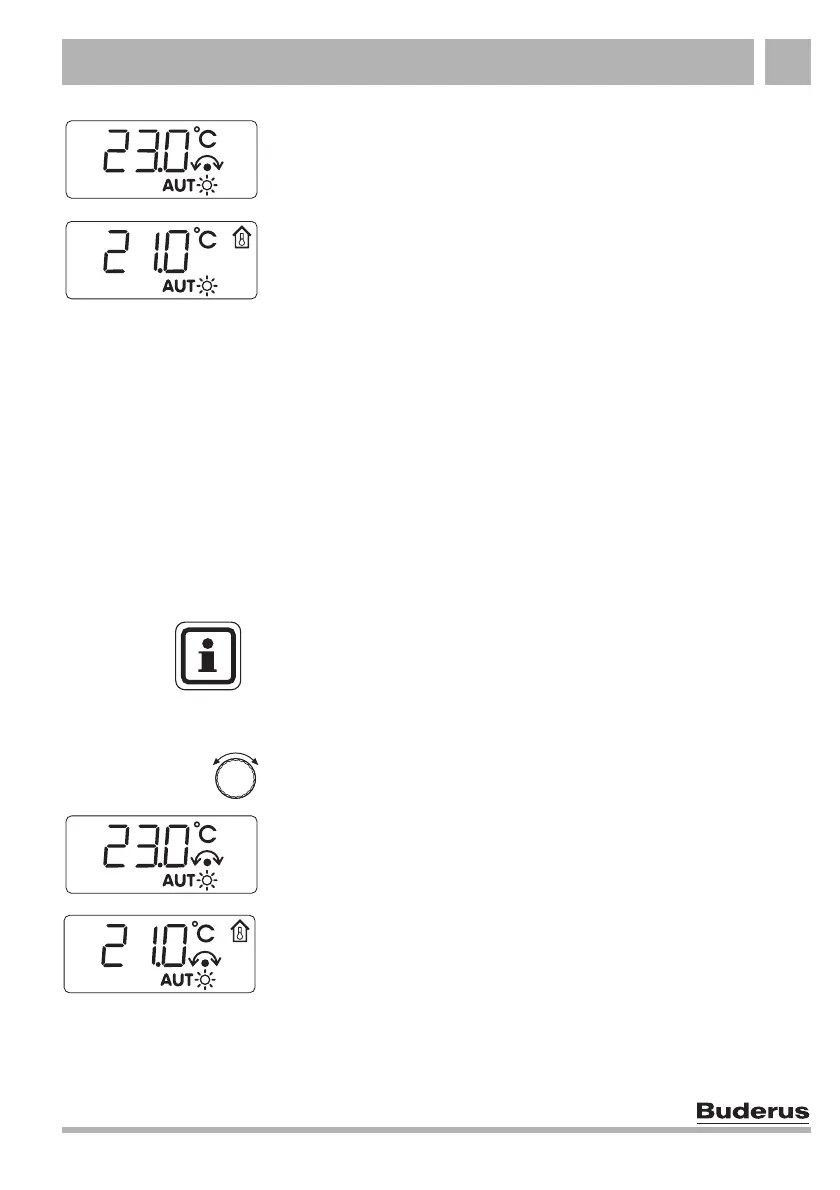
The display changes from the standard display to the set room
temperature, which you can now alter (e.g. here for automatic day
mode). Turning the rotary selector clockwise increases the value,
turning anti-clockwise reduces the value.
The newly selected room temperature will be saved after
approx. 2 seconds. The display then returns to the standard
display (e.g. actual room temperature).
4.2.2 Changing the room temperature temporarily
(temporary room setting)
You are currently in automatic mode or in manual mode and would
like to change the room temperature temporarily. This function is
available when the RC20 is the sole programming unit or it has
been installed as a remote control unit for an RC35 programming
unit (see section 5.1, page 23). If the RC20 has been installed as
a remote control unit for an RC30 programming unit, use manual
mode (see section 4.1.3, page 13).
Set the required room temperature by turning the rotary selector.
The display changes from the standard display to the set
room temperature, which you can now alter. Turning the rotary
selector clockwise increases the value, turning anti-clockwise
reduces the value.
The newly selected room temperature will be saved after
approx. 2 seconds. The display then returns to the standard
display (e.g. actual room temperature).
USER NOTE
If holiday mode is active for a heating circuit when using an RC35
(RC20 as remote control), the holiday setting can be adjusted on
the RC20, but not the temporary room setting.



 To Next Page