13
MA201435_13.1 [Original Instructions] 6/25/2012
Operation
SimpliMet 3000 is used to mount specimens with a variety of compression mounting resins. The mold
cylinders are designed for single or duplex mounting.
Front Control Panel
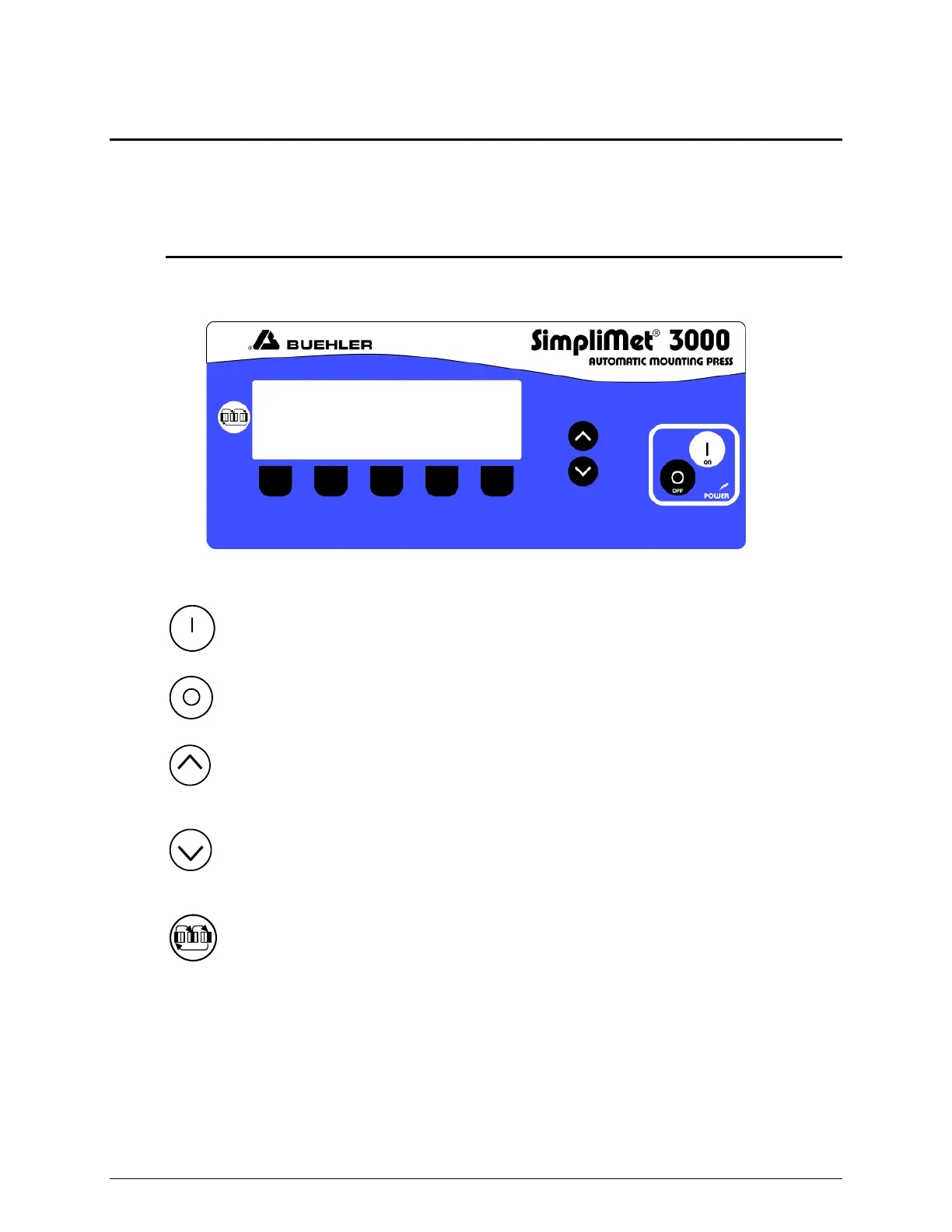
When power is activated to the SimpliMet 3000 front control panel will light up and display the
default parameters.
Figure 11 SimpliMet 3000 Front Control Panel
Power On The Power On button will activate the SimpliMet 3000.
Power Off The Power Off button will deactivate the SimpliMet 3000.
Increase The Increase button will incrementally increase (raise) a parameter’s
value.
Decrease The Decrease button will incrementally decrease (lower) a
parameter’s value.
Parameter Scroll The Parameter Scroll button scrolls through the parameter
fields, displaying three parameter fields at a time.


 To Next Page