19
MA601990_20 [Original Instructions] 10/04/2010
WATER When the WATER parameter is set to ON, water will automatically flow when
the green START buttons are pressed.
The Flow Adjustment Knob, located on top of the water faucet, regulates the
water flow. Check that the water faucet is pointing to the platen surface
before beginning a grinding-polishing cycle.
Manual Flow: To manually activate the water flow during a grinding-polishing cycle, press
and hold the INCREASE button for two seconds. The LCD will display ON
and water will be dispensed.
DISPENSER The Vector Power Head can be used in combination with the PriMet 3000
and the PriMet Satellite Dispensing System.
When a dispenser is connected to the Vector Power Head and is powered
ON, the dispenser will automatically activate when the green START buttons
are pressed. The dispenser will operate according to the TIME parameter set
through the Vector Power Head’s control panel.
SELECT
SELECT MODE Selects a parameter on the Vector Power Head.
INCREASE Increases a parameter’s value.
DECREASE Decreases a parameter’s value.
o
I
STOP The STOP button will stop a grinding-polishing cycle at any time during the
cycle.
When the STOP button is pressed, the control panel will reset to the last
parameter settings and the power head will rise into is original position.
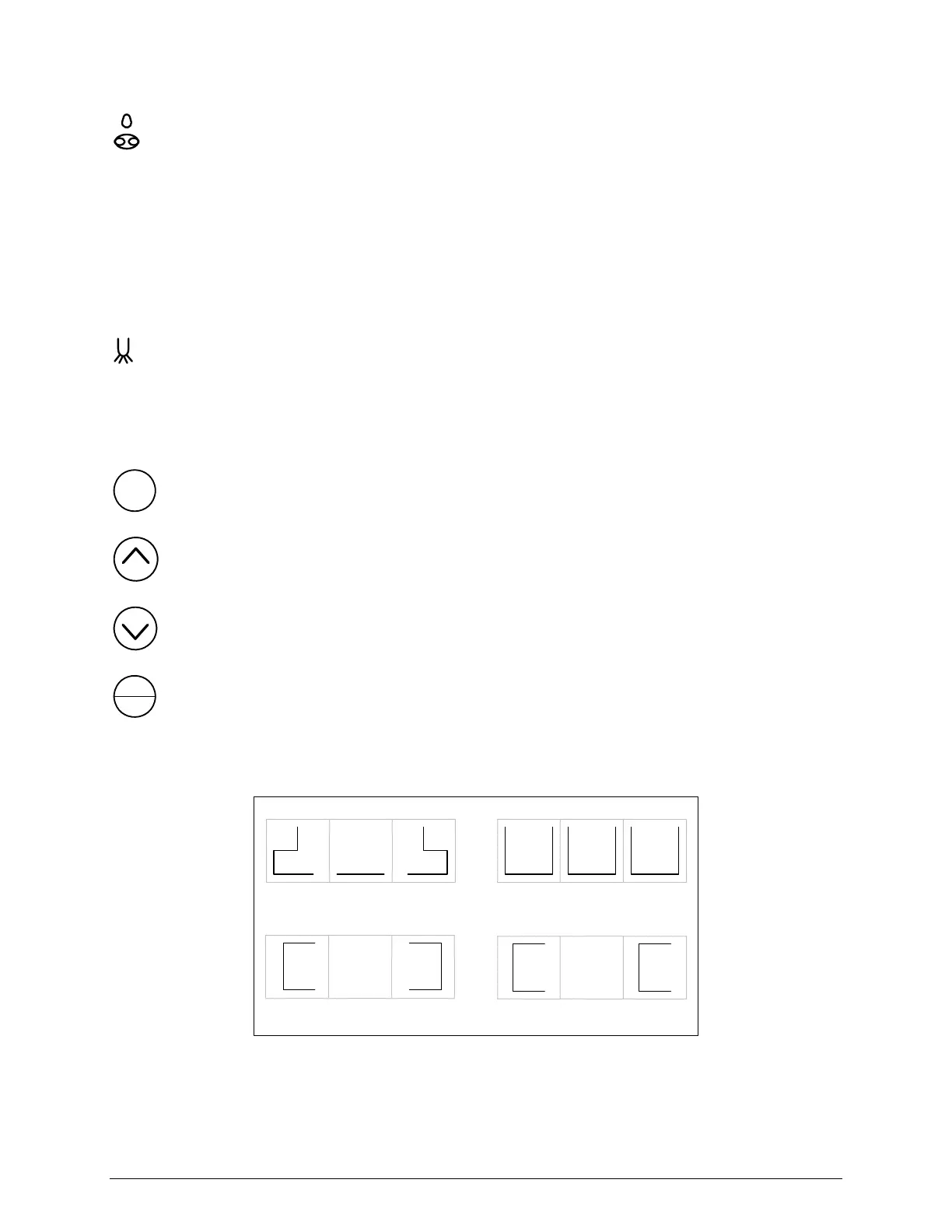
Single FORCE APPLICATION
CONTRA Rotation
COMP Rotation
Central FORCE APPLICATION
Figure 19 Vector Power Head LCD Guide


 To Next Page