77
Most problems with setting up WDS are caused by incorrectly entering the MAC
addresses into each AirStation’s Web-Based Conguration Utility. If you’re having
problems, check the MAC address settings in both AirStations’s Web-Based Conguration
Utilities. Each Airstation should be congured to be in a bridge with the other’s wireless
MAC address.
Conrm that all bridges are set to the same wireless channel.
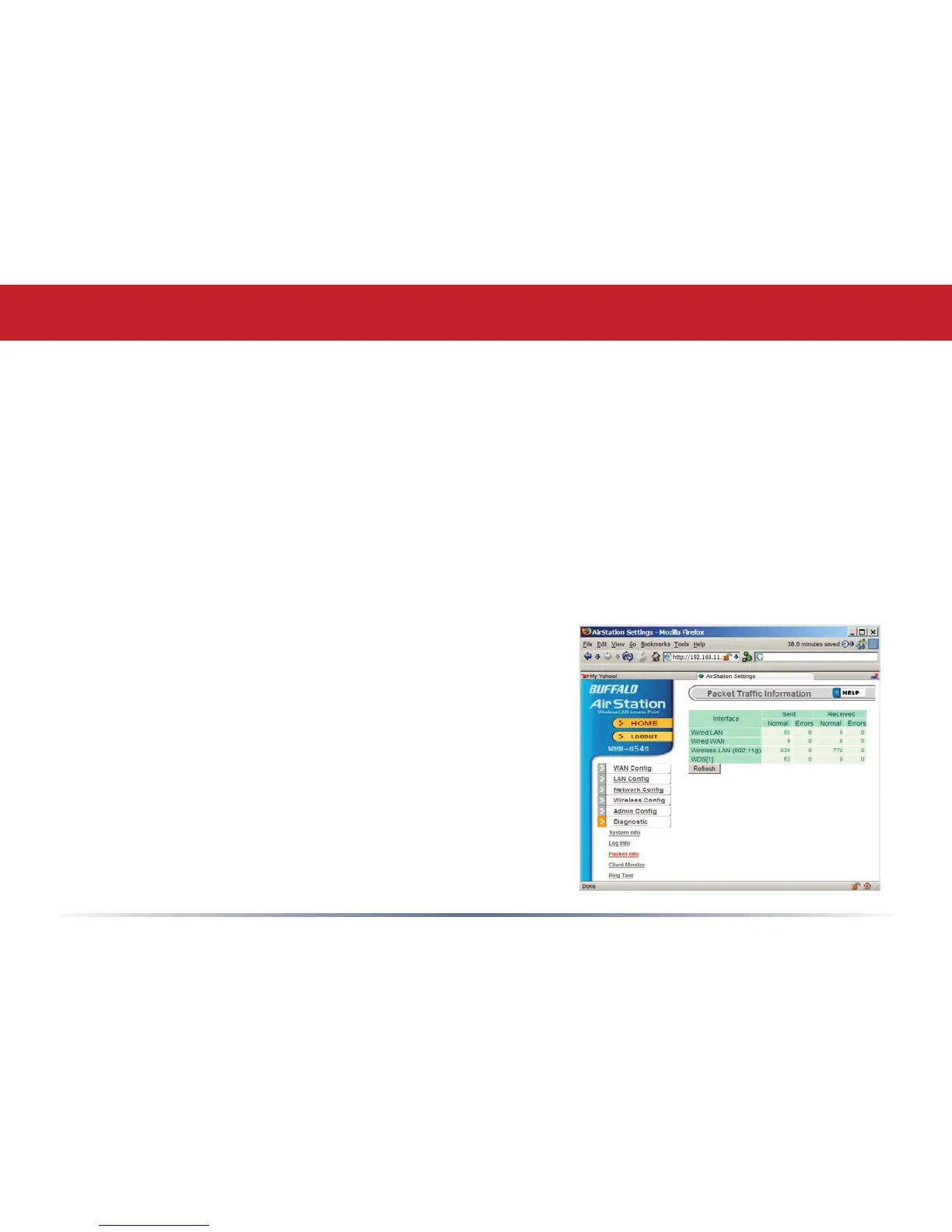
Check the Packet Log (Advanced/Diagnostic/Packet Info) in each AirStation’s Web-
Based Conguration Utility to conrm communication between them (screenshot to
right). The “WDS” entries should show packets both
sent and received. In this example, the packet log
shows packets sent but not received, so the next
troubleshooting step would be to check the other
AirStation’s settings and packet log for more clues.
If you cannot access the AirStations wirelessly,
reconnect the Ethernet cables as shown on page
67 to easily access the AirStations’s Web-Based
Conguration Utilities.
Troubleshooting WDS



 To Next Page
 Loading...










