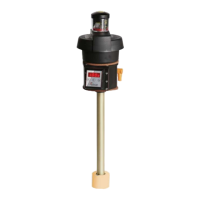
Nivotemp NT MD
5.6.6 Restore factory settings (Reset)
Use the Reset function (rES) to restore the factory settings. All changes will be lost. Since this will also reset the limits, you must
check the temperature settings.
Basic EF
b.EF
Basic Adv. Functions
rES
Factory setting
Reset
___
no - YES
Confirm
The options are:
Original status:
No,
keep current settings
Original status:
Yes,
reset settings to the factory defaults.
The factory settings are:
Definitions:
SP x / rPx Switching point / switch-back point x
ds x / drx Switch-on delay / switch-back delay for switching output x
A x ..Hi / Ax.Lo Maximum and minimum measurement for output
A.ou x Analogue output signal type
ou x Switching characteristic for switching output x
t.uni Temperature unit
dis Display refresh rate
Loc Keylock
SJ.ou Switching output logged
dt.MM Delay for recording the minimum / maximum temperature
Note:
For customer-specific specifications the factory preset may vary from those listed here.
Basic settings:
Basic Settings
t.uni C
dis FASt
Loc 000
tcl* 0.0m
tcC* 0.50II
*for wall-mounting only
Version with 1 switching output:
Switching outputs
SP1 / rP1 50 / 45
ds1 / dr1 / ou1 0 / 0 / Hno
Version with 2 switching outputs:
Switching outputs
SP1 / rP1 50 / 45
ds1 / dr1 / ou1 0 / 0 / Hno
SP2 / rP2 60 / 55
ds2 / dr2 / ou2 0 / 0 / Hno
16 Bühler Technologies GmbH BE100022 ◦ 11/2020



 To Next Page