Nivotemp NT MD
7 Service and repair
This chapter contains information on troubleshooting and correction should an error occur during operation.
Repairs to the unit must be performed by Bühler authorised personnel.
Please contact our Service Department with any questions:
Tel.: +49-(0)2102-498955
or your agent
If the equipment is not functioning properly after correcting any malfunctions and switching on the power, it must be inspected
by the manufacturer. Please send the equipment inside suitable packaging to:
Bühler Technologies GmbH
- Reparatur/Service -
Harkortstraße 29
40880 Ratingen
Germany
Please also attach the completed and signed RMA decontamination statement to the packaging. We will otherwise be unable to
process your repair order.
You will find the form in the appendix of these instructions, or simply request it by e-mail:
service@buehler-technologies.com
.
7.1 Troubleshooting
Problem / Malfunction Possible cause Action
No display – No supply voltage – Check cable and replace, if necessary
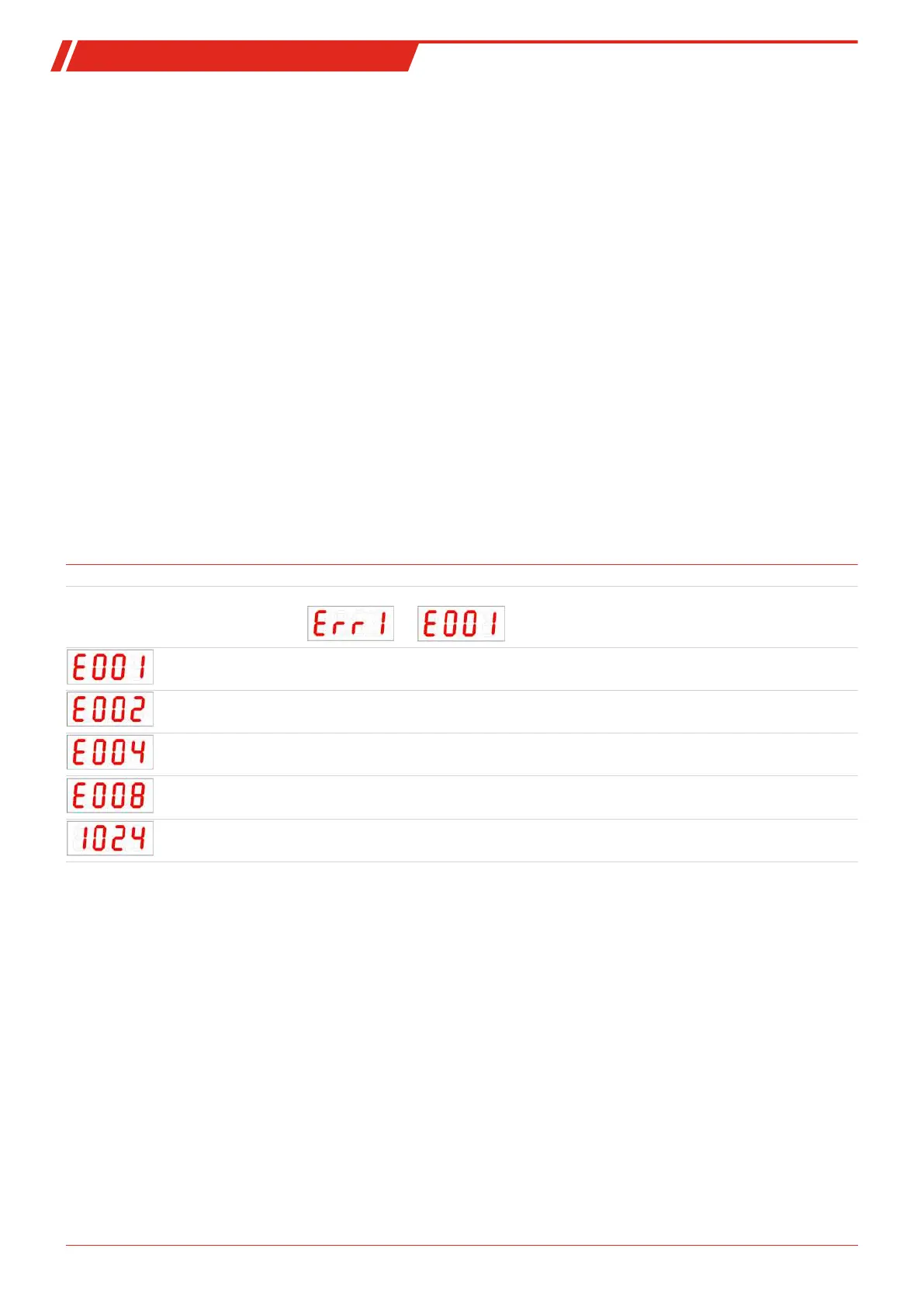
Error messages on the display:
Alternating between Err and Exxx: e.g. ⇔
Error 001 – Ambient temperature too low – Maintain limits
Error 002 – Ambient temperature too high – Maintain limits
Error 004 – Pt100 defective (short-circuit) – Send device in for repair
Error 008 – Pt100 defective (cable break) – Send device in for repair
Error 1024 – Internal error – Please contact customer service
27Bühler Technologies GmbHBE100022 ◦ 11/2020



 To Next Page