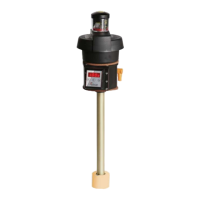
Nivotemp NT MD
Version with 4 switching outputs:
Switching outputs
SP1 / rP1 50 / 45
ds1 / dr1 / ou1 0 / 0 / Hno
SP2 / rP2 60 / 55
ds2 / dr2 / ou2 0 / 0 / Hno
SP3 / rP3 70 / 65
ds3 / dr3 / ou3 0 / 0 / Hno
SP4 / rP4 80 / 75
ds4 / dr4 / ou4 0 / 0 / Hno
Version with analogue output:
Analogue output
A1.Hi / A1.Lo / A.ou1 0 / 100 / i1
Diagnostic settings:
Diagnostics
SJ.ou out1
dt.MM 0.0
5.7 Switching outputs
All switching outputs are configured the same way. The switching output number is therefore represented by x. Open the
switching output to be configured from the menu for the respective measured variable.
Display
____
Measurement display
____
Measured variable main menu
Measured variable
out_
Out X
Settings menu OUTX
The switching output allocation and other basic settings related to all switching outputs can be configured in menu
Basic Set-
tings Advanced Functions
.
Use submenu
Advanced Functions
to configure additional settings for each individual switching output which e.g. affect the
switching characteristics of the output. The output can also be tested here.
17Bühler Technologies GmbHBE100022 ◦ 11/2020



 To Next Page