Nivotemp NT MD
5.8.4 Analogue output x: Testing the analogue output
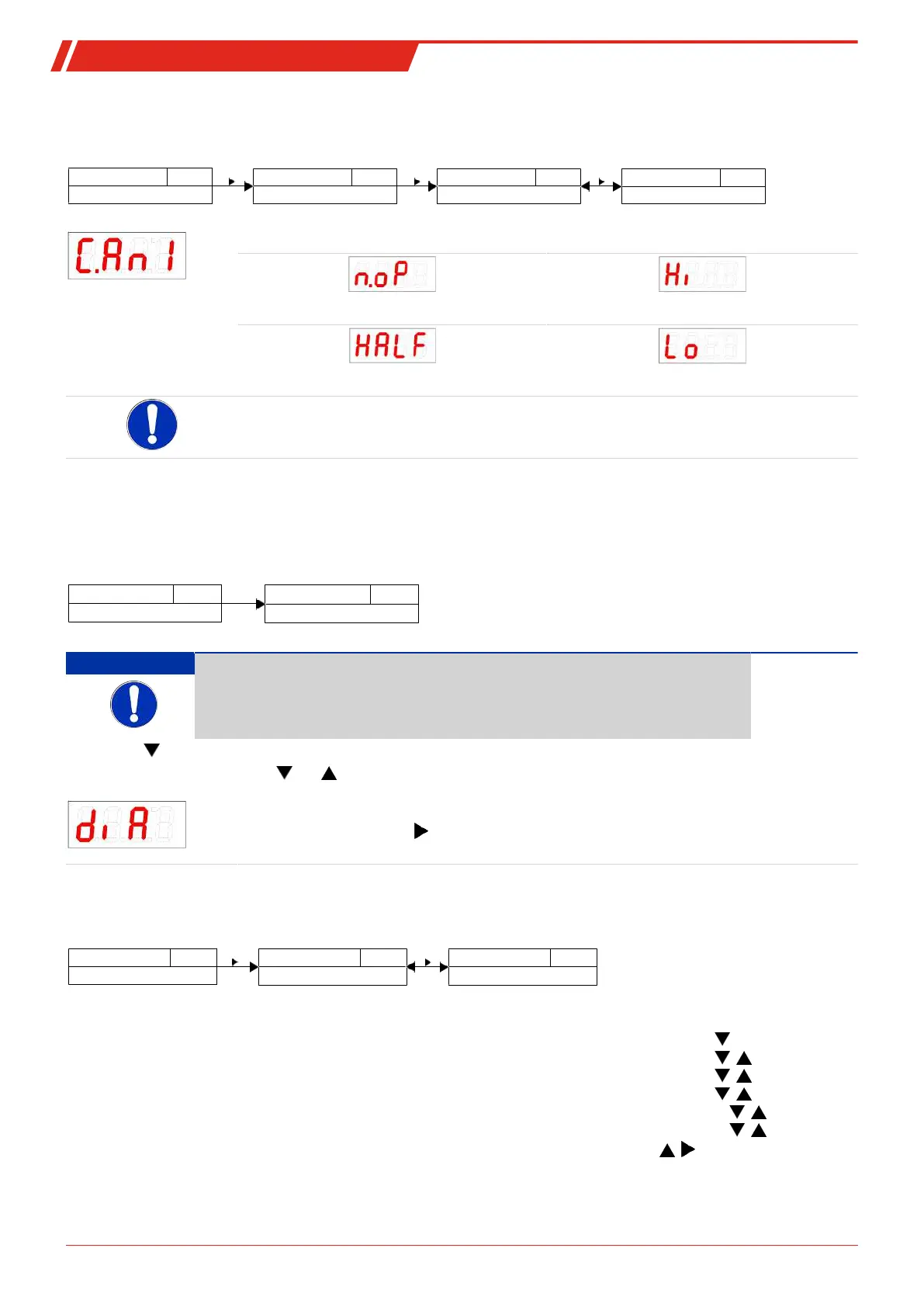
The analogue output can be tested. The highest, mean and lowest analogue value can be output successively. This is configured
in menu:
Measured variable
____
An_
Measured variable main menu
Analog OutX
C.An_
Check AnX
Functional test Analog X
____
Selection menu
n.oP - Lo
Settings menu Analog X
The options are:
Normal mode Highest analogue value output
Mean analogue value output Lowest analogue value output
Note:
–
After completing the test, set the function to normal mode
n.oP
.
5.9 Diagnostic options
The device is able to log events for a switching output. The LED lighting up is considered an event. The logging of switching pro-
cedures therefore depends on how the LED switching function is configured.
The configuration and analysis can be carried out here.
Display
____
Measurement display
diA
Diagnostics menu
Diagnostic
NOTICE
Only one switching output can be logged. The switching output to be logged is con-
figured in menu item
Set Journal Out
(Sjou).
– Press the key to open the main menu.
– Select menu item diA with the and keys.
From here you will be able to access various diagnostic values and measurement monitoring logs.
– Open the menu with the key.
You can now change or view the diagnostic settings.
5.9.1 View logbook
The last 6 events for the switching output being logged can be viewed here and all entries deleted:
Diagnostic
diA
Diagnostics menu
J.out
Log output
Journal Out
____
Jor I - ---
Selection menu
The journal entries will be displayed as:
Example:
– Most recent event Jor1 occurred x hours (h) / days (d) ago, Jor1 ⇔ 1.3h, key
Jor2 ⇔ 2.4h, key ,
Jor3 ⇔ 6.1h, key ,
Jor4 ⇔ 8.2h, key ,
Jor5 ⇔ non *, key ,
Jor6 ⇔ non *, key ,
---, key ; = delete
– Events 2 to 5 occurred x hours / days ago,
– The oldest event Jor6 occurred x hours / days ago,
– Delete function (---)
*
not yet populated, only 4 events have occurred
23Bühler Technologies GmbHBE100022 ◦ 11/2020



 To Next Page