40417 GT PLATINUM
33
IMPORTANT NOTE: Safety is your first and most important responsibility as a driver. Safety is also your first and most important concern when placing your GT
Platinum. Make sure the GT Platinum does not create blind spots or distract the driver.
PHYSICAL INSTALLATION
Detailed Instructions (Continued)
3. Run the HDMI cable under the dash.
This step helps you install the HDMI cable in a way that is discreet, stylish, and that helps to protect the GT Platinum
1. Plug one end of the HDMI cable into the port on the OBDII adapter plug.
2. Run the middle of the cable up through the dash on the driver’s side so that the end of the cable comes out near the A-pillar.
• It may be necessary to temporarily remove the weather stripping and dash panel to successfully hide the HDMI cable under the dash.
3. Make sure that there is enough slack in the cable to connect the GT Platinum when it is in the mount.
4. Connect and Mount the GT Platinum
1. Install the mount that you have chosen. If you are using the Universal Windshield Mount included with the GT Platinum, see the installation
instructions in the next section.
2. Connect the HDMI cable to the GT Platinum.
3. Secure the GT Platinum to the mount.
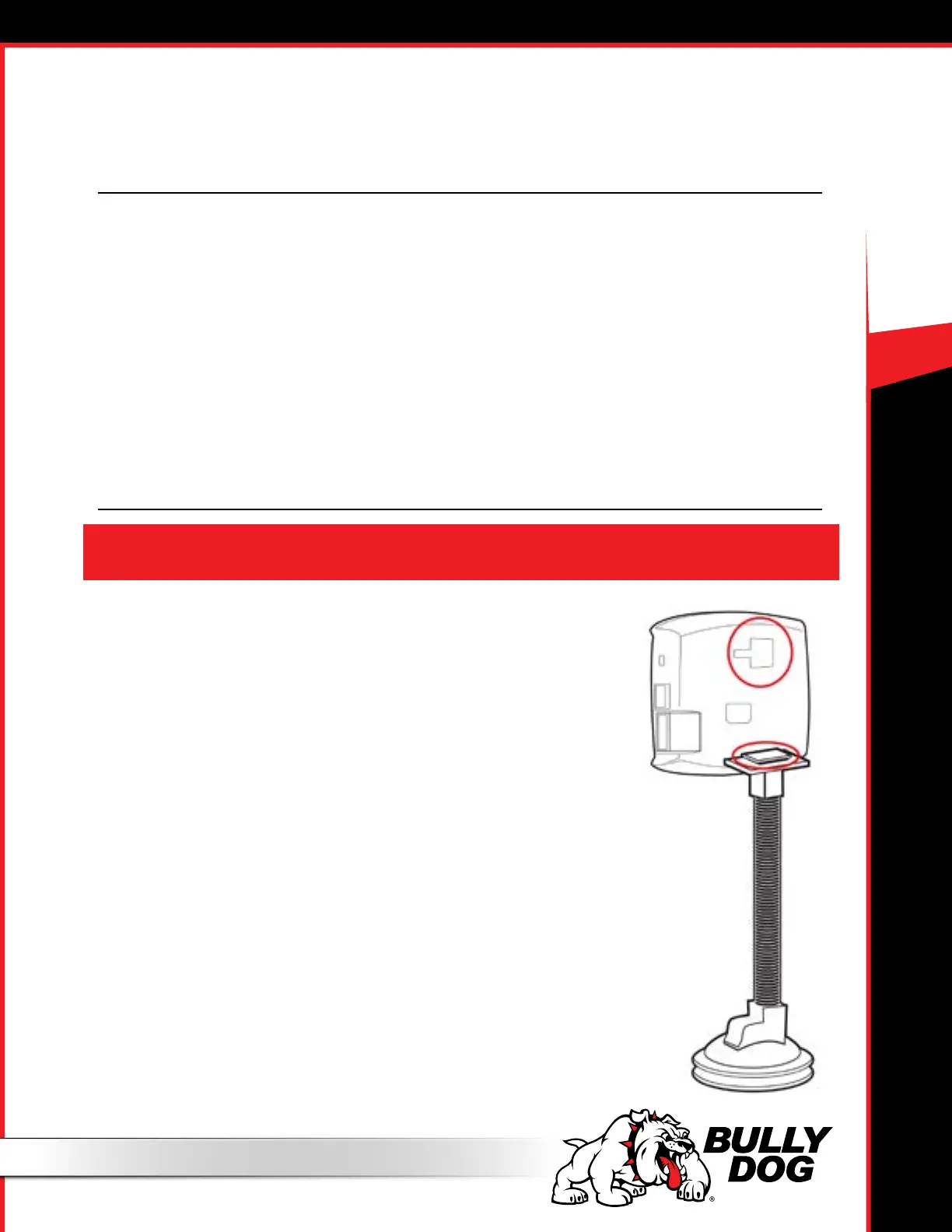
Using the Universal Windshield Mount
1. Locate the T-shaped socket on the back of the GT Platinum.
2. Place the square top of the Universal Windshield Mount into the square part of the T-
shaped socket on the GT Platinum.
3. Slide to the left to secure the GT Platinum to the mount.
4. Place the suction cup against the windshield and use the lever to secure the mount to the
windshield.
You will find information about alternative mounting options on the following pages.



 To Next Page