40417 GT PLATINUM
54
INSTALL THE TUNE (JEEP VEHICLES)
9. The GT Platinum will display code 262.
‣ If the GT Platinum does not display code 262, skip to step 20.
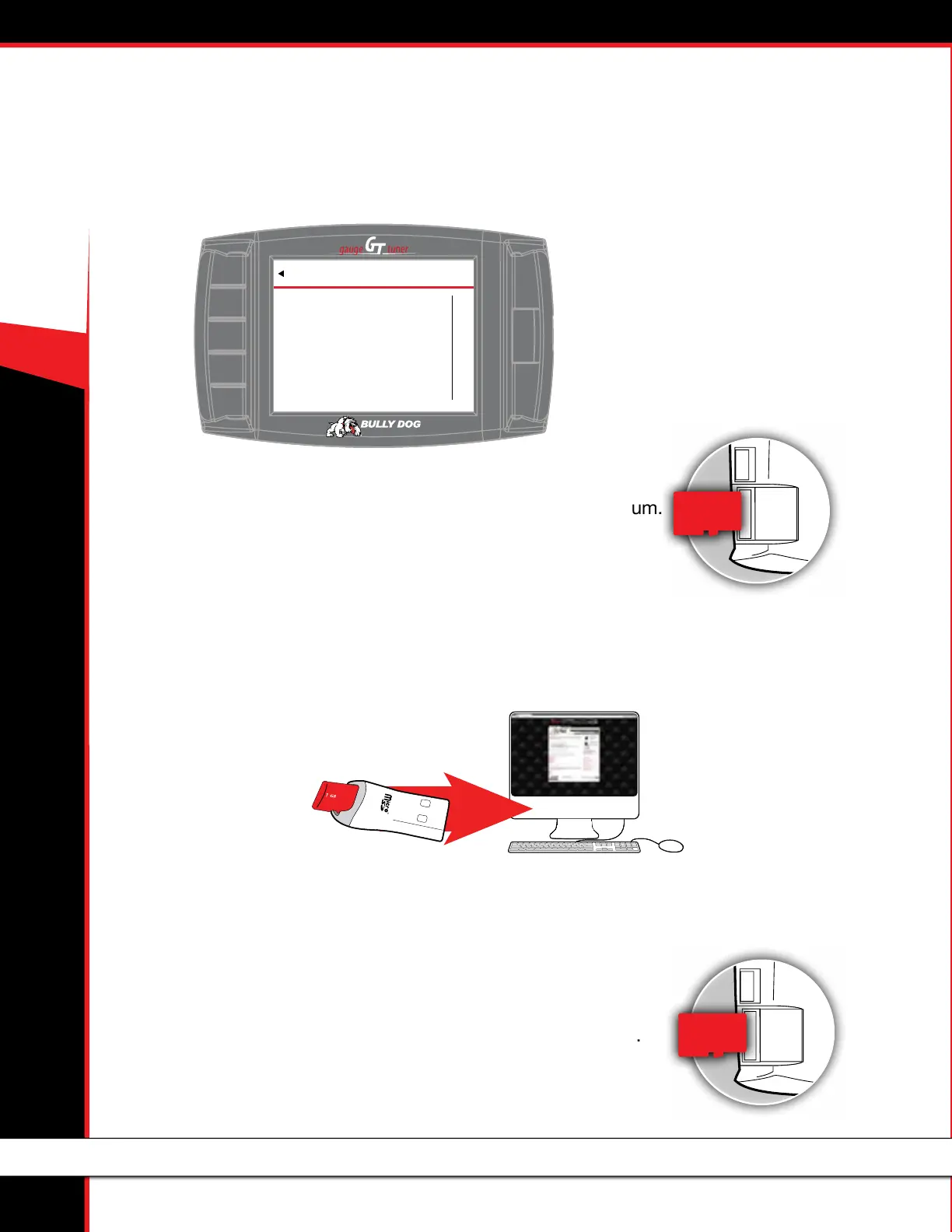
10. Remove the microSD memory card from the GT Platinum.
Steps 11-13 must be completed outside the vehicle on a computer with Internet access.
11. Open the Bully Dog Update Agent app.
‣ www.BullyDog.com/updateagent.php
12. Connect the microSD memory card to the computer.
‣ Use the included card reader and a USB port on the computer.
13. The Update Agent will display a progress bar as it gathers les.
‣ When the Update Agent displays a message that the process is complete,
click OK.
Steps 14-23 must be completed with/inside the vehicle.
14. Reinstall the microSD memory card in the GT Platinum.
CODE 262
EXIT
VEHICLE DATA. Vehicle Data has
been successfully retrieved.
Please disconnect GT and go to the
update agent to continue the
download process. Contact
Technical Support if Problem
continues. www.bullydog.com
866-285-5936



 To Next Page