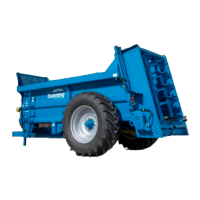
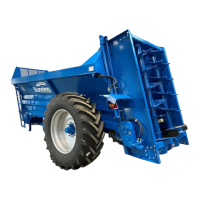
LOWLANDER HD MK2 & WIDEBODY MANURE SPREADER – INSTRUCTION & SPARES MANUAL
Page 17
1.10.3 WEIGH CELL CALIBRATION
From the main spread screen, scroll to the MAIN MENU:
Then FACTORY icon and PIN: 1234 (OK)
FACTORY MENU:
LOADCELL INTERFACES: (OK)
Check that FUNCTION: is set at CAN MODULE 1
If not then select FUNCTION and use ⬅➡ to select it.
With the machine empty and on a LEVEL SURFACE select ANGLE SENSOR (OK)
Use the icon to rotate the junction box to the front of the spreader icon.
Press the TARE button to ZERO the ANGLE SENSOR
Press ESC The weigh cells can now be calibrated.
Select LOADCELL CALIBRATION (OK)
Follow the on-screen instructions. IS THE SPREADER EMPTY? (YES)
PRESS OK TO SET TO ZERO
CONFIRM-> 0kg press (OK)
Press ESC to return to IS SPREADER EMPTY?
Press NO and add your known weight
Select ACTUAL WEIGHT (Kg) 0Kg and enter the weight in kg and (OK)
Press ESC to go to main spread screen to check the weight in the machine
1.10.4 SET THE SHAFT SENSOR ALARMS
NOTE: HBD machine has 2 sensors: 1 mounted on the PTO shaft behind front bulkhead, and 1 mounted on
the top horizontal beater
TVA machine has only 1 sensor mounted on the PTO shaft behind the front bulkhead.
From the main spread screen, scroll to the MAIN MENU:
In the middle right hand side select the BELL/ALARM icon
Select RPM1 Lo: (OK) and enter an RPM of 100 (OK)
HBD MACHINES ONLY:
Select RPM2 Lo: (OK) and enter an RPM of 100 (OK)
The alarms have been set, press ESC to go back to the main spread screen.



 To Next Page