24
Installation and commissioning
Type 8700, 8701, 8703, 8705
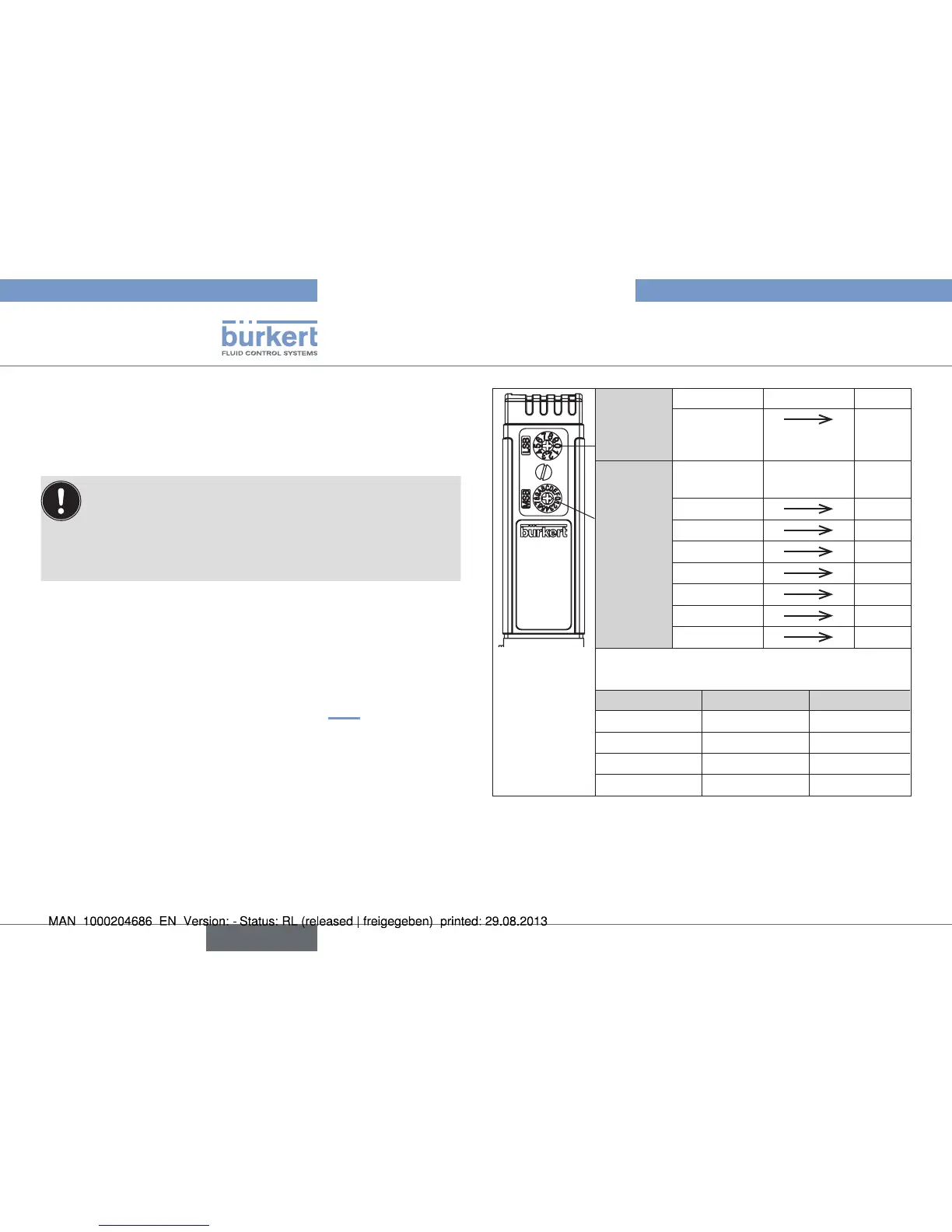
7.5.2. Setting the bus address on a device
with rotary switches for setting the
address
(type 8700 / 8701 / 8710 / 8711)
To set an address via the master bus:
→ Set the switches on an address outside the permitted
range.
→ Restart the device.
→ Set the address via the Mass Flow Communicator.
When the device is switched on, the address set with the rotary
switches is accepted as a slave address.
Valid addresses are: • PROFIBUS 0 – 126
• DeviceNet 0 – 63
• CANopen 1 – 127
If the address was set outside the permitted range, the address
setting has the validity as described in chapter 7.5.1
LSB
Unit
position
(x 1)
Unit position Digit times 1
0 – 9
0 – 9
MSB
Decade
position
(x 10)
Decade
position
Digit times
10
0 – 9
0 – 90
A
100
B
110
C
120
D
130
E
140
F
150
The address is composed of LSB + MSB
Example:
Address: MSB setting LSB setting
1 0 1
63 6 3
100 A 0
127 C 7
Fig. 17: Setting the bus address on devices with rotary switch
(types 8700 / 8701 / 8710 / 8711)
English



 To Next Page