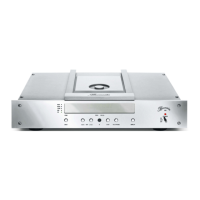
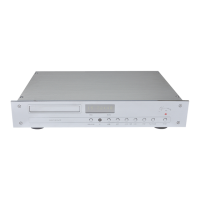
POWER button The POWER button switches the CD Player on or off, provided the AC mains switch on the
rear panel has been switched ON.
DIM button Pressing the key DIM varies the brightness of the alphanumeric display in four steps
between “max. brightness” to “off”.
If brightness is selected to “off”, the display will light up only when any controls are used to
change settings. After a few seconds it automatically switches off again.
REPEAT button Pressing the key REPEAT once or several times causes a track or the complete CD to be
repeated. The repeat mode is shown in the alphanumeric display:
- a simple arrow shows the repeating of one track
- a returning arrow shows the repeating of the complete CD
MENU button The MENU button activates and deactivates the MENU function.
NUMERICAL buttons With the numerical buttons 0 through 9, you can directly select the track of your choice.
The playback of the selected track starts automatically.
Navigation buttons To navigate through the menu and select different options you may use the buttons ► ◄ ▲
▼ and OK on the remote control of the 102. For details about using the menu please refer
to the chapter SETUP MENU.
PLAY/PAUSE ►║ By pressing the PLAY/PAUSE ►║ button, the playback of the inserted CD will start. The
playback of the CD can be paused by pressing the PLAY/PAUSE ►║ button again.
By briefly pressing the PLAY/PAUSE ►║ button, the CD tray (1) will close automaticly
when opened.
STOP
■
Pressing the button STOP (9) will stop playback of the CD. To restart the CD from the
beginning, press the PLAY/PAUSE button.
SKIP >| By briefly pressing the button SKIP >>| (8) playback is advanced to the beginning of the
following track. By pressing it several times you can skip ahead one step at a time.
SKIP |< By briefly pressing the button SKIP |<< (7) playback is returned to the beginning of the
playing track. By pressing it several times you can skip back step by step.


 To Next Page