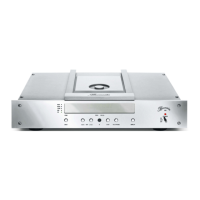
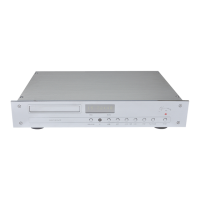
BURLINK
CONNECTIONS
The BURLINK interface can be accessed either by the 9-pin D-SUB port (RS-232) (16) or by the USB port (17).
Configuration of RS-232: 9600Baud, 8Bit, Parity: none, 1Stoppbit, and no hardware handshake.
Before using the USB port the appropriate drivers must be installed. The software for the USB port is compatible with
the operating systems WINDOWS 2000 and WINDOWS XP.
COMMANDS
Following are listed the possible commands to control the CD player 102. All commands needs to be sent in capital
letters finished with a “carriage return“ \r .
POWON\r switches the unit on
POWOFF\r switches the unit to standby mode
OPEN\r opens the CD tray
CLOSE\r closes the CD tray
PLAY\r starts playback of the CD
PAUSE\r pauses playback of the CD
STOP\r stops playback of the CD
SKIPFW\r skips forward to the following tracks
SKIPBW\r skips backward to the beginning of the current and previous tracks
FORW\r starts search forward (two steps: slow/fast)
BACKW\r starts search backward (two steps: slow/fast)
KEY0 to KEY9\r for direct track selection
REPEAT\r switches on the repeat modes (Track, Disc) or off
CLEAR\r deletes a favorite track selection program
AUDIO\r switches between a sample rate of 96kHz and 192kHz
AUDIO96\r switches to a sample rate of 96kHz
AUDIO192\r switches to a sample rate of 192kHz
DMODE\r switches the time display
INP+\r switches the inputs of the CD player
INP-\r switches the inputs of the CD player
DIM0\r switches the display brightness to maximum
DIM1\r switches the display brightness to middle
DIM2\r switches the display brightness to low
DIM3\r switches the display to off mode
DIM\r switches the brightness step by step (0,1,2,3,0,1,2....)
TYPE\r shows the type of the unit
VERSION\r shows the software version of the unit


 To Next Page