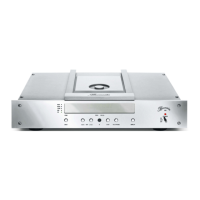
Analog Outputs To connect an analog amplifier or receiver the 102 offers balanced as well as unbalanced
outputs. If your amplifier or receiver provides balanced inputs connect them to the terminals
BALANCED R and BALANCED L (22). Unbalanced connections can be made using the
terminals UNBAL (23). An analog recording device may be hooked up to the terminal TAPE
(24).
For reasons of superior sound we recommend using balanced connections whenever
possible.
The pinning of the balanced outputs are: PIN1=GND, PIN2=NEG, PIN3=POS.
Remote Connecting DC OUT (20) to the corresponding DC IN-jack of another Burmester-unit offers
to switch on or off this other unit simultaneous by the 052. In this case, 052 has the master
function.
Connecting DC IN (21) to the corresponding DC OUT-jack of another Burmester-unit offers
to switch on or off the 102 simultaneous by the other unit. In this case, 102 has the slave
function.
BurLink To the BURLINK interface plugs (16), (17) a computer system e.g. PC, CRESTRON™,
AMX™ can be connected to the 102. The computer system allows a comfortable control of
your High End system using for example an individual programmable touch panel. With the
LEDs beside the plugs named T and R (Transmit and Receive) you are able to monitor
whether data exchange is working.
You will find the commands to control the 102 CD-Player in the chapter BURLINK.


 To Next Page