OPERATING AND CONTROL FEATURES
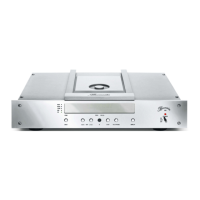
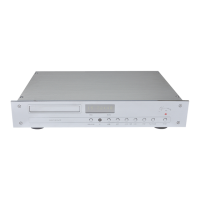
With the exception of the AC mains switch all operating controls are located on the front panel. To operate the unit it
must be connected to the AC supply.
AC mains switch The AC mains switch (18) which turns AC power to the unit on and off is located on the
rear panel next to the AC mains terminal. By switching to the ON position the transformer is
powered up.
PLEASE NOTE: Always switch off the 102 with the POWER button (15) first before
bringing the AC mains switch into OFF position.
POWER button The unit is switched on and off with the POWER button (15), provided that the AC mains
switch (18) is in the ON position.
In operating mode (ON) the alphanumeric display lights up and all functions of the CD
player are activated.
PLAY/PAUSE button Pushing the button PLAY/PAUSE (10) starts playback of the CD. Playback of the CD can
be interrupted by pushing the button PLAY/PAUSE (10) again.
STOP button Pressing the button STOP (9) will stop playback of the CD. To restart the CD from the
beginning, press the PLAY/PAUSE button.
SKIP >>| button By briefly pressing the button SKIP >>| (8) playback is advanced to the beginning of the
following track. By pressing it several times you can skip ahead one step at a time.
SKIP |<< button By briefly pressing the button SKIP |<< (7) playback is returned to the beginning of the
playing track. By pressing it several times you can skip back step by step.
INPUT button Pushing the button INPUT (6) changes sequentially the digital signal source between the
external inputs RCA and TORX on the back panel or the internal CD transport. The
selected input is indicated in the alphanumeric display.
AUDIO button With the AUDIO (14) button you can choose the rate of the internal sample rate converter:
96kHz and 192kHz respectively. The setting to 192kHz will be shown by the light of the
AUDIO LED (5).
OPEN/CLOSE button The CD tray (1) can be opened by pressing the OPEN/CLOSE button (12). The CD tray is
completely opened, when the display shows OPEN. Now, you can insert a CD with the
labeled side up into the CD tray. By pressing the OPEN/CLOSE button (12) again, the CD
tray will close. After closing the CD tray, the CD’s contents will be read (the display shows
READING). After the reading process, the display shows the number of tracks as well as
the total playing time of the CD.
If there is no CD in the CD tray, or the inserted CD is incompatible with the 102, the display
will show the message NO DISC.


 To Next Page