13
7. To turn alarms on or off in standby mode
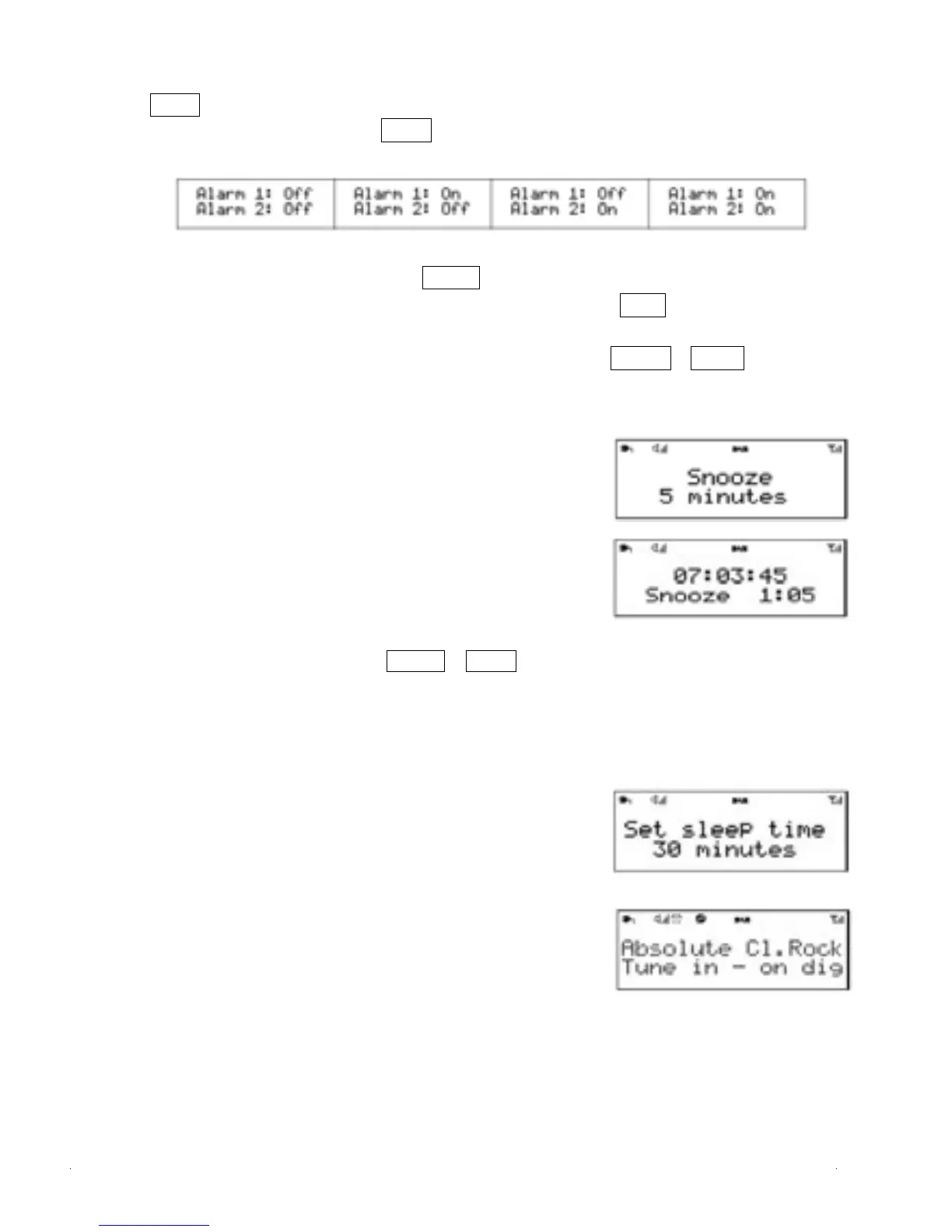
Press Alarm . The display shows the current alarm status.
To switch the alarms on or off, press Alarm repeatedly to cycle through four
states as shown below:
To choose the displayed Alarm state, press Select .
(to return to standby without changing the current alarm states, press Back ).
8.To cancel a sounding alarm and switch the radio to standby Press Power or Alarm .
5.0 Snooze
1. To temporarily silence a sounding alarm, press
Sleep/Snooze/DIM Button
2. You can change the snooze
period by repeatedly pressing Sleep/Snooze/DIM.
Snooze periodsare 5, 10, 15 and 30 minutes.
3.The radio returns to standby for the set time period
with a snooze countdown displayed. When the
countdown reaches 0 (zero)
4.The alarm is triggered again.Press Power or Alarm to
fully cancel a sounding alarm and switch the radio to standby
5.1 Sleep
1.To set the sleep timer while the radio is playing
Press Sleep/Snooze/DIM. You can choose the sleep
delaytime in minutes from:
Sleep Off | 15 | 30 | 45 | 60 | 90.
2.Use left/right rotary control to cycle through the
options (or press Sleep/Snooze/DIM repeatedly) then
press Select to choose the displayed option.
3.Once you select a sleep delay period, the display
returns to the Now playing screen with a sleep icon
showing. After the sleep delay period the radio
switches to standby mode.


 To Next Page