1.0 Function list
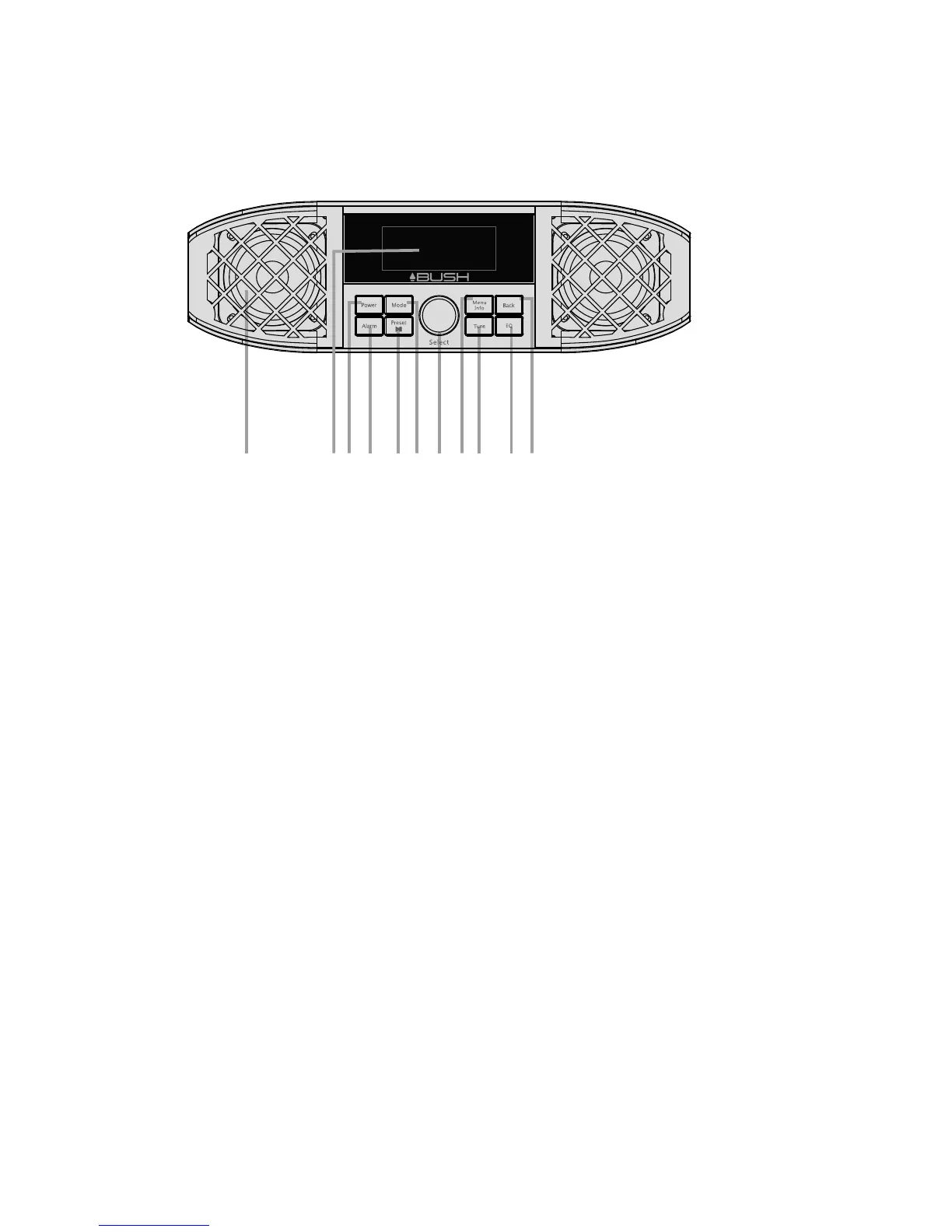
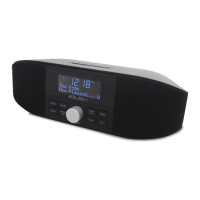
1.1 Front view of the unit
3
1: Speaker
2 : LCD Display
3: Press the Power Button to power On or power off.
4: Alarm Button---Enters alarm wizard or cancels alarm (when alarm is sounding) and cycles
through On/Off state of alarms in standby.
5: Preset /Play Pause Button
In FM/DAB Mode , Press and hold 2 sec into Preset stations Save Status Customer can
Rotate Multi-function knob to Choose Select Stations to Save , then Press Select Knob
to Save In FM/DAB Mode, Short press to Recall Preset Stations Customer can Rotate
Navigation knob Choose Select Stations to recall, then Press Select Key to select to recall,
In Bluetooth Mode, Press this Button to Play/Pause Status Switch
6 : Mode---Short press cycle through audio modes: DAB, FM, BT, AUXiliary Input
7: SELECT--- Rotate to channel change or press to select function
8: Menu /Info--- Short Press to Info Status , Press and hold to Menu Status
9 : Tune ---In FM/DAB Mode, Short press this key , Can Rotate Navigation knob choose station list
In Bluetooth Mode,Short press(es) cycle through the paired device list.Press and hold
into Bluetooth Discoverable mode.
1 3 4 5 6 7 8 9 10 11
2


 To Next Page