8
2.6 Manual tune
As well as the normal method of scanning, you can also manually tune to a particular
channel/frequency. This can be useful to achieve the best possible reception and also
scanning a particular channel to update the station list.
To manually tune
1.Press and hold the button,then select “manual tune”. Use the left/right rotary control to display
a particular channel/frequency, press Select to tune to that channel/frequency.
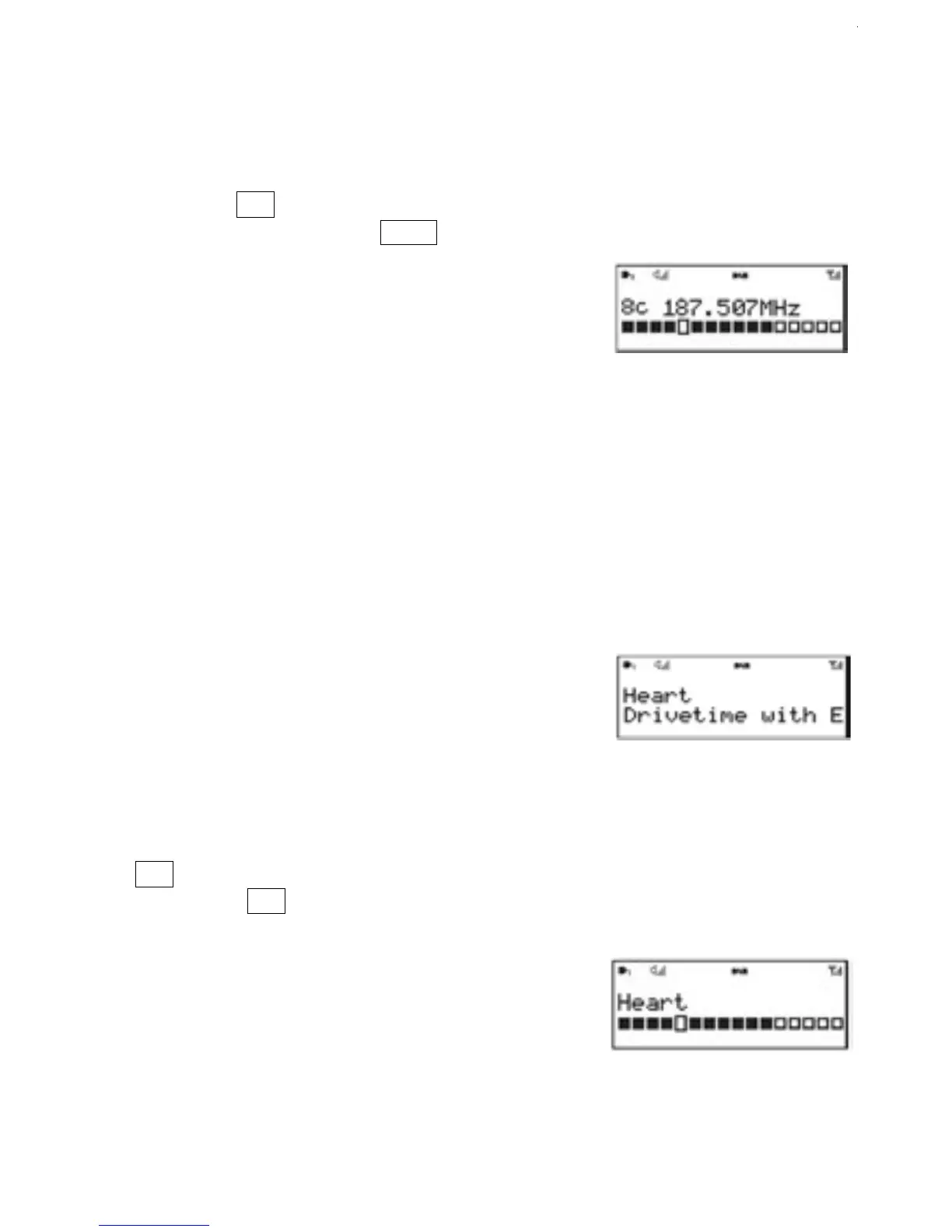
2.The display shows a live indication of the received
signal strength on the selected frequency.
3.Adjustments to your antenna will be displayed on the screen as a
signal strength bar graph
4.
Note:
On the bar graph display,the slightly larger rectangle indicates the audio quality threshold – if the
signal strength as indicated by the solid rectangles, falls below this threshold the audio quality will
deteriorate.At the same time AURORA scans for any DAB stations on the selected frequency and
updates the station list with any new stations found. To listen to any stations found,return to the
Now playing screen and select the required station from the station list as normal.
2.7 Now playing information
While a station is playing, the screen shows its
name and DLS (Dynamic Label Segment)
information broadcast by the station such as
programme name, track title and contact details.
Long DLS info, over 16 characters scrolls across
the display.
1.Press .
Each time you press , the next set of
information is displayed, cycling through:
DLS text, DL Plus information (this is only
displayed if broadcast by the station), signal
strength,programme type, ensemble name,
channel number/frequency, signal error rate,
bit rate,codec/DAB variant, time and date.
2.8 To view further information
Menu
Info
Menu
Info
Menu
Info


 To Next Page