16
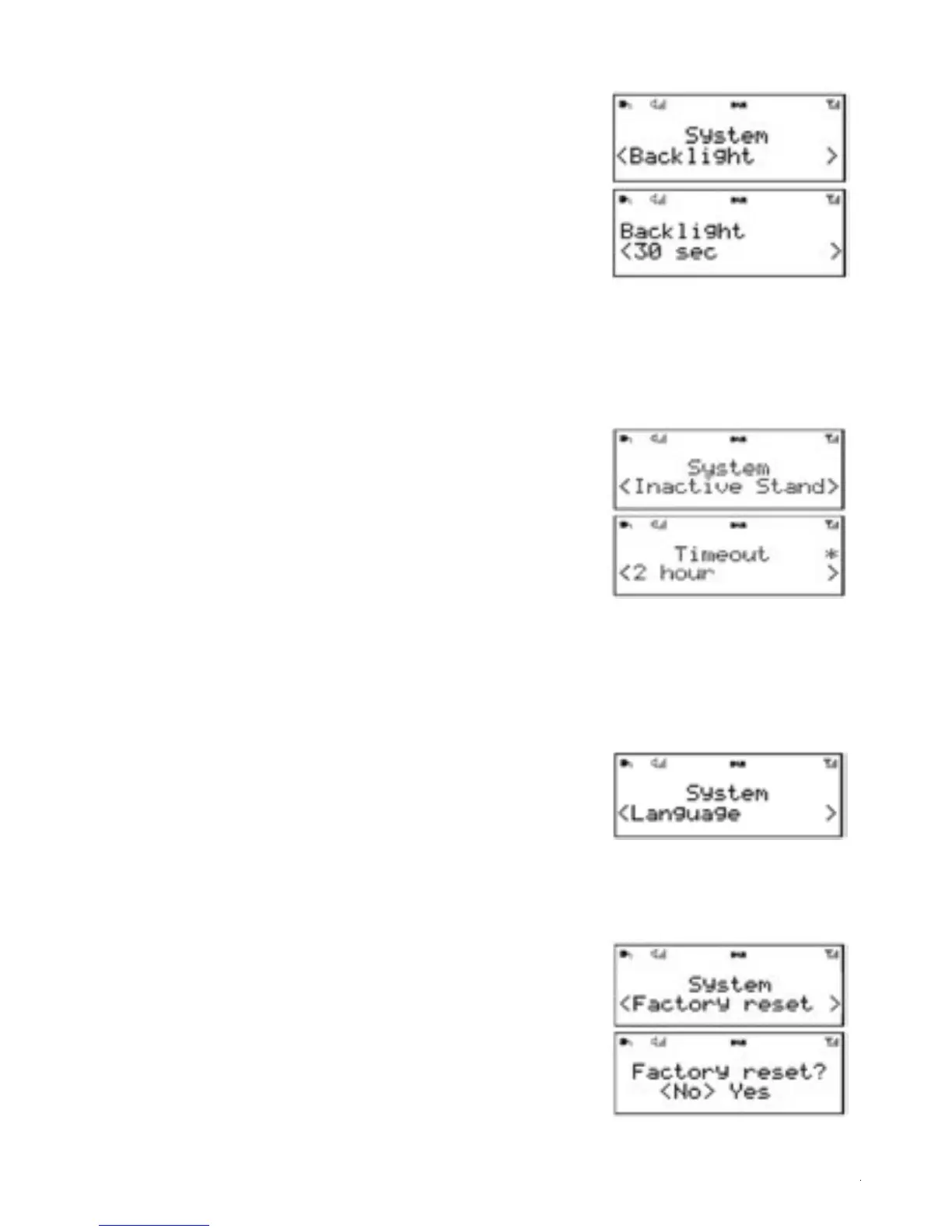
6.5 Backlight
1. The AURORA display has a backlight with two brightness
settings, and adjustable timeout (this is the time delay, in
seconds, after which the display switches to the Dim level
when set to standby).
2.There are three settings:
•Timeout - Light On | 10 | 20 | 30 | 45 | 60 | 90 |120 | 180
•On level - 1 | 2 | 3 | 4 | 5 | 6 | 7 | 8 | 9 | 10
•Dim level - 1 | 2 | 3 | 4 | 5 | 6 | 7 | 8 | 9 | 10
Note: as you cycle through the possible values, an asterisk appearing to the right-hand side of the
display indicates the currently selected value for each setting.
6.6 Inactive Standby
1. The AURORA display can be set to automatically switch
to standby mode after a period of inactivity.
2. The Timeout period values, after which Standby mode is
entered are:
• Timeout - Off | 2 hour | 4 hour | 5 hour | 6 hour
Note: as you cycle through the possible values, an asterisk
appearing to the right-hand side of the display indicates the
currently selected timeout value.
6.7 Language
The language used for display messages can be
selected from:
English | Français | Deutsch | Italiano
Note: as you cycle through the possible values, an asterisk
appearing to the right-hand side of the display indicates the
currently selected timeout value.
6.8 Factory reset
1. A factory reset clears all user defined settings,replacing them
with the original default values, so time/date, preferences/
settings,DAB station list and preset stations are all lost.
2. If you select Factory reset, you are asked to confirm by
selecting Yes.
3. Use the Rotary dial to select <YES>
4. Product will go to standby
5. Turn“ on” product will automatically rescan stations


 To Next Page