16
BUSH HD Ready LED LCD TV User Manual Helpline: 0845 604 0105
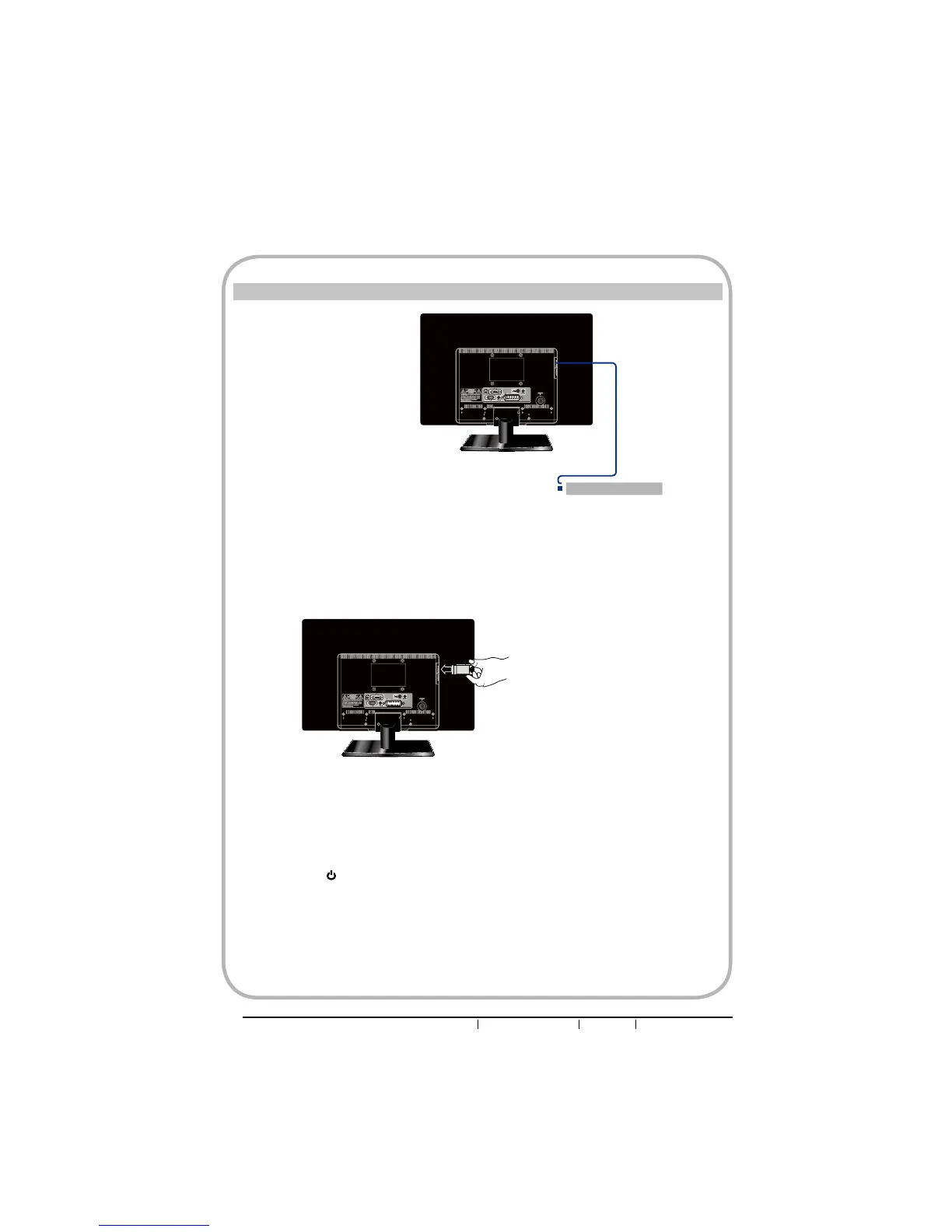
How to connect CI (Common Interface) card
nTo view the scrambled (pay) services in digital TV mode.
This function enables you to watch the scrambled services (pay services) in some
channels. If you remove the CI Module, you can watch the available digital/analogue
programme in some channels.
oPress the button on the remote to turn on the LED LCD TV.
pPress the INPUT button on the remote to display the Source List. Use the Ÿź buttons to
select DTV, and press the OK button.
qIf the CI card is inserted properly, the CAM menu will be displayed on screen, The
contents are dependent on the CAM provider in you country.
TO INSERT A CI CARD
,QVHUWWKH&,FDUGLQWRWKHVORWLQWKHGLUHFWLRQRIWKHDUURZXQWLOLW¿WV
TO REMOVE A CI CARD
When removing the CI card, do pull it from its slot.
CAM
Connects CI(Common
Interface) card


 To Next Page