26
BUSH HD Ready LED LCD TV User Manual Helpline: 0845 604 0105
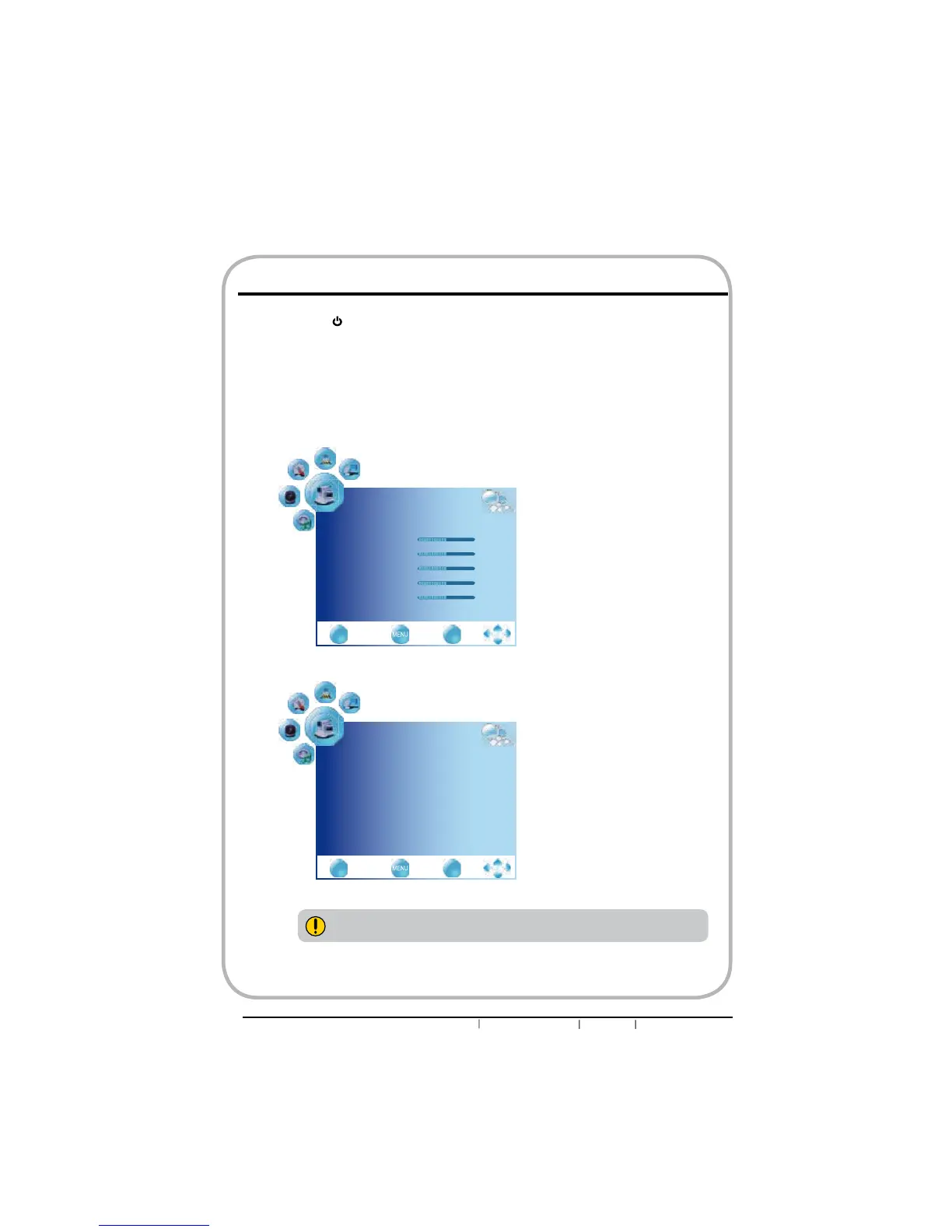
Customizing the PICTURE Settings
The available menu items are dependent on the input source being
selected. All illustration is for reference only.
nPress the button to turn the LED LCD TV on.
oPress the MENU button on the remote control to display the Main menu, and use the
ŻŹEXWWRQVWRVHOHFWWKHPicture.
pUse the ŸźEXWWRQVWRKLJKOLJKWDQLQGLYLGXDOSLFWXUHRSWLRQXVHWKHŻŹEXWWRQVWR
change the setting, and press the MENU to exit the menu.
PICTURE
Picture Mode User
Contrast 50
Brightness 50
Color 50
Sharpness 50
Tint 50
ź
EXIT
Quit Back Select
OK
PICTURE
Color Temperature Standard
Red 50
Green 50
Blue 50
Aspect Ratio 16:9
Noise Reducton on
Ÿ
EXIT
Quit Back Select
OK


 To Next Page