21
BUSH HD Ready LED LCD TV User Manual Helpline: 0845 604 0105
03 Getting stanrted
Rear of TV
CABlE/AIR
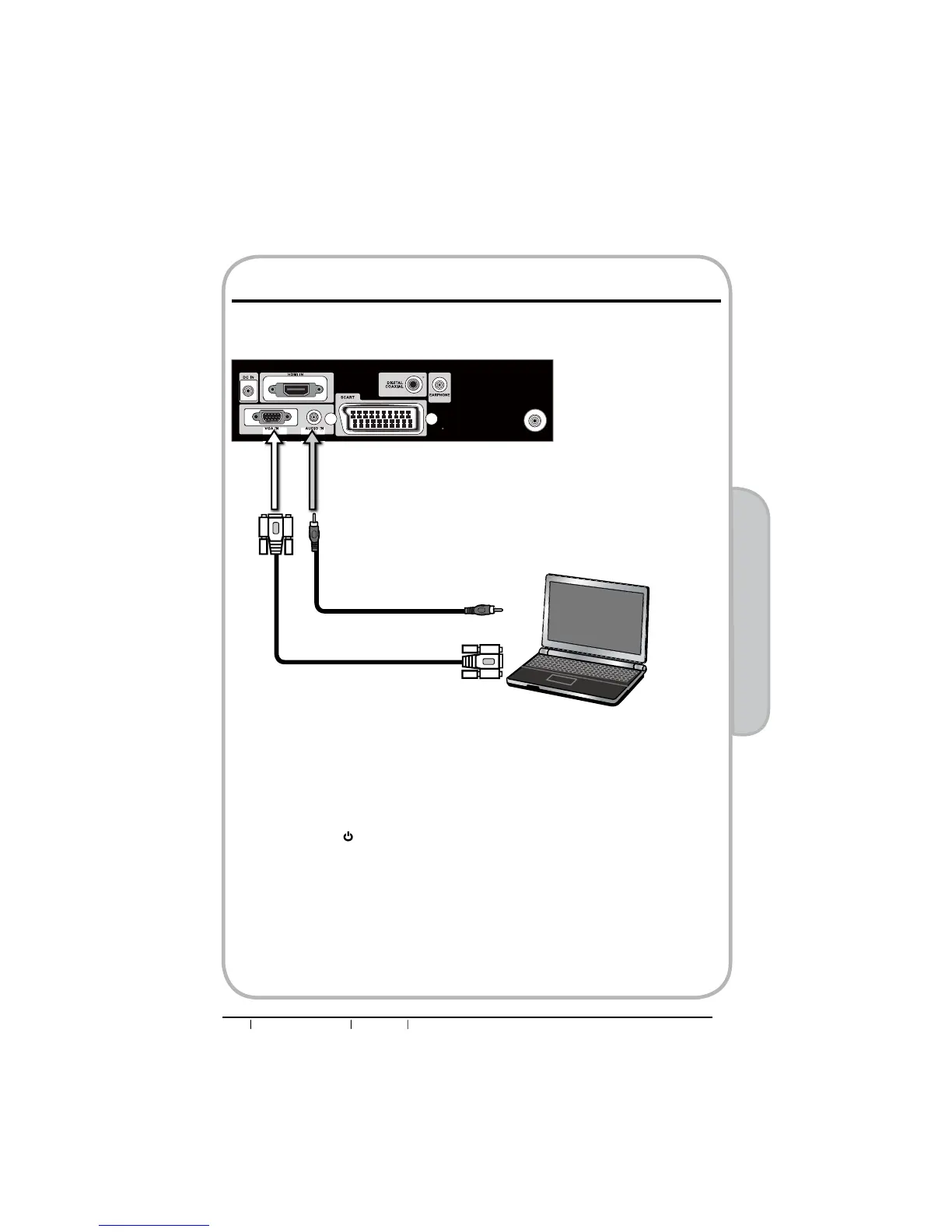
n Use a D-SUB cable to connect the PC’s D-SUB output jack to the LED LCD TV’s VGA
input jack. Use an audio cable to connect the PC’s audio output jacks to LED LCD TV’s.
o Connect all AC power sources, before turning on the power switch of the LED LCD TV
or other connected equipment.
p Press the button on the remote to turn on the LED LCD TV.
q Press the INPUT button on the remote to select VGA.
Connecting a PC
VGA Cable
AUDIO Cable
PC


 To Next Page