23
BUSH HD Ready LED LCD TV User Manual Helpline: 0845 604 0105
04 Using the features
DATE
Programme Guide
30 May
13 May 2008 0633
ITV1
06:00 - 06:58 GMTV Newshour
The Hoobs Freshly Squeezed Everybody Love... Just Shoot Me
Biker Mice fro... No Information
More4 Preview
06:30 07:30
1
DTV
1 ITV1
2 Channel 4
3 ITV2
4 ITV3
5 Channel 4
6 More4
Upstairs, Downstairs The Rockford Files .
C.. . . . Cu.. The Hoobs The Hoobs Freshly Squeezed
GMTV Newshour GMTV Today
DATE
n With the LED LCD TV connected to a television programming source, press the INPUT
button on the remote control then use Ÿź to select DTV and press OK button .
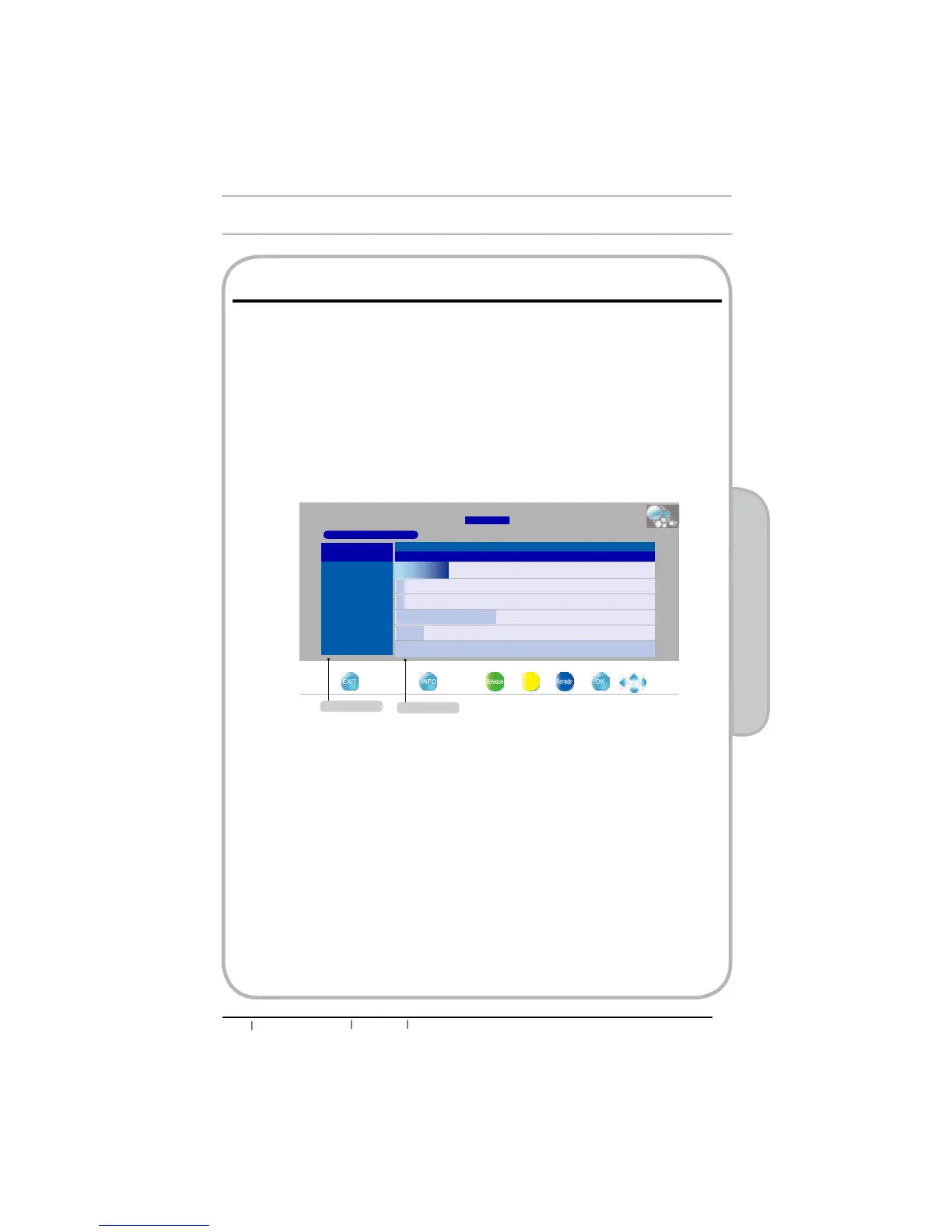
o Press the GUIDE button on the remote control, the Programme Guide will appear on the
screen:
The Programme Guide is an Electronic Programme guide that provides viewers with a quick and
easy way to view a complete list of digital of programmes. The Programme Guide feature brings all
sorts of information to your screen, such as program title, program duration, time remaining, rating
information, availability, etc.
p Press Ÿź buttons to select channels and press OK button WRFRQ¿UP
q Press ŸźŻŹ buttons to select the programme from a list, the Programme Guide provides
introduction about the current programme being shown on each channel.
(The Programme information in the guide is provided by the broadcasters)
r Press EXIT button on the remote control to exit the Programme Guide
Using the Programme Guide
Channel name
Programme list
04 Using The Features


 To Next Page