33
BUSH HD Ready LED LCD TV User Manual Helpline: 0845 604 0105
04 Using the features
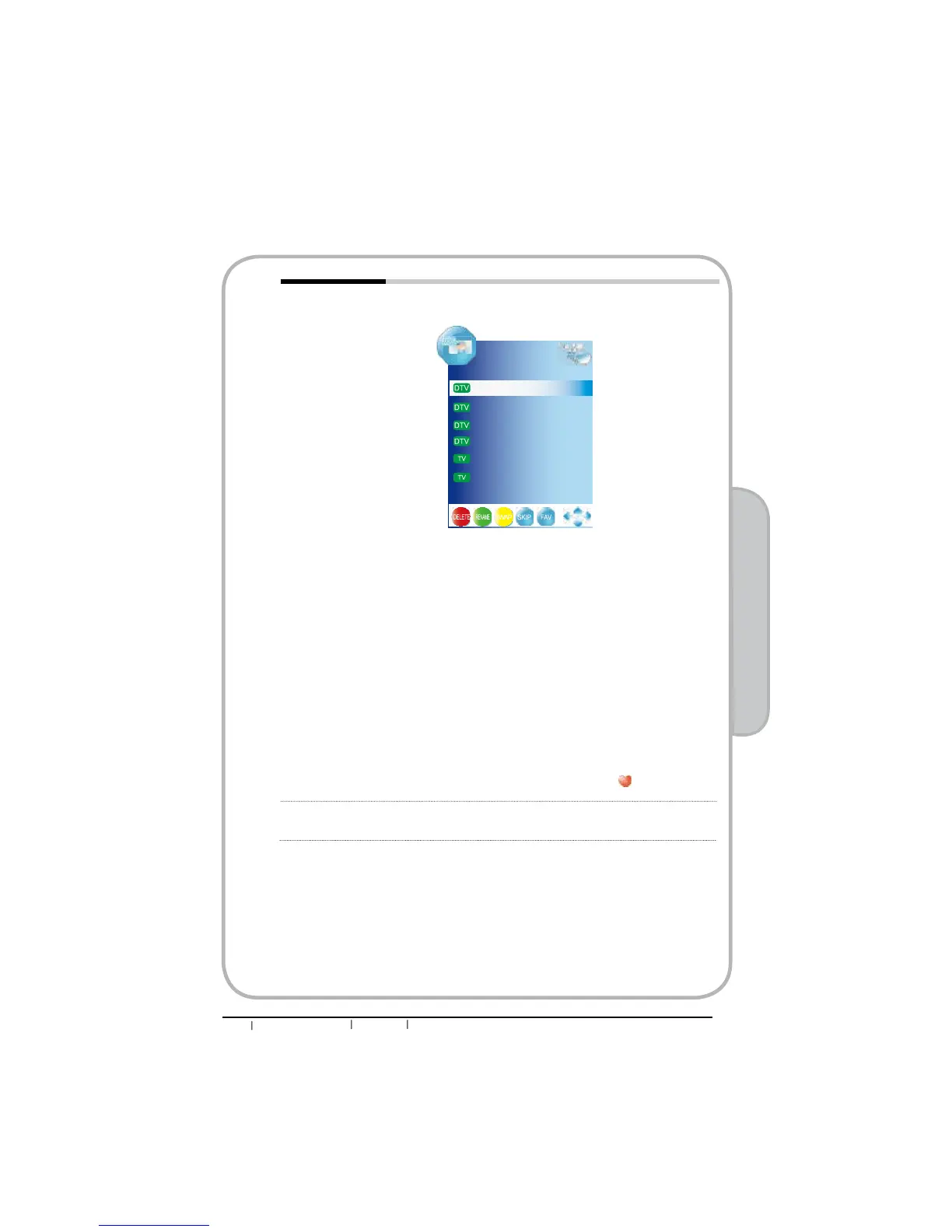
Programme Edit Allows DELETE/RENAME/MOVE/SKIP of channels on the channel
list.
ƒ
DELETE (red button)
Press the red button on the remote control with the selected
channel, then press it again if you wish to delete it. To retrieve the
deleted channel you must retune the TV.
ƒ RENAME (green button)
Press the green button on the remote control with the selected
FKDQQHOFKDQJHWKHFKDUDFWHUVE\SUHVVLQJWKHŸźEXWWRQVDQG
PRYHWKHFXUVRUE\ŻŹEXWWRQV3UHVVWKHJUHHQEXWWRQDJDLQ
ZKHQ¿QLVKHG
NOTE: Only analogue TV channel names can be edited.
ƒ SWAP (yellow button)
Press the yellow button on the remote control with the selected
FKDQQHOPRYHWKHFKDQQHOE\SUHVVLQJWKHŸźEXWWRQVWKHQSUHVV
the yellow button again.
ƒ SKIP (blue button)
Press the blue button on the remote control with the highlighted
channel; press again to un-skip.
ƒ Set up the favourite channels (FAV.CH button)
nPress ɕɞ buttons to select your favourite channel.
o Press Fav.CH button to set the channel, a icon will appear.
CI Information Allows to display the CI information: Module Information,
Smart Card Information, Language, Software Download
Programme Edit
800 SZTVM01
801 SZTVM01
800 SZTVM01
801 SZTVM01
78 BBC 7
30 CBBC Channel


 To Next Page