Or by calling one of our experts on 0345 604 0105
23
Using your DVD player
Let’s get started
Using a USB device
To play music or display pictures stored on a USB storage device.
1. Ensure that the ON / OFF switch is in the OFF position.
2. Insert the storage device into the USB port.
3. Move the ON / OFF switch to the ON position and the screen will
activate.
4. Press the SOURCE button and using the NAVIGATION () buttons
highlight ‘MEDIA’ and then press the ENTER button.
5. The storage device will then be highlighted. Press the ENTER button
again to display the track or picture menu and use the controls as
described in the previous two pages for CDs (music) and Picture disc
(pictures).
Skip and fast search functions
1. T
o move forward to the next chapter or track on the disc, press the
NEXT ( ) button. Press again to move to each successive chapter /
track. To return to the beginning of the chapter / track or move to the
previous chapter / track; press the PREVIOUS ( ) button. Repeat to
move to each previous chapter / track.
2. T
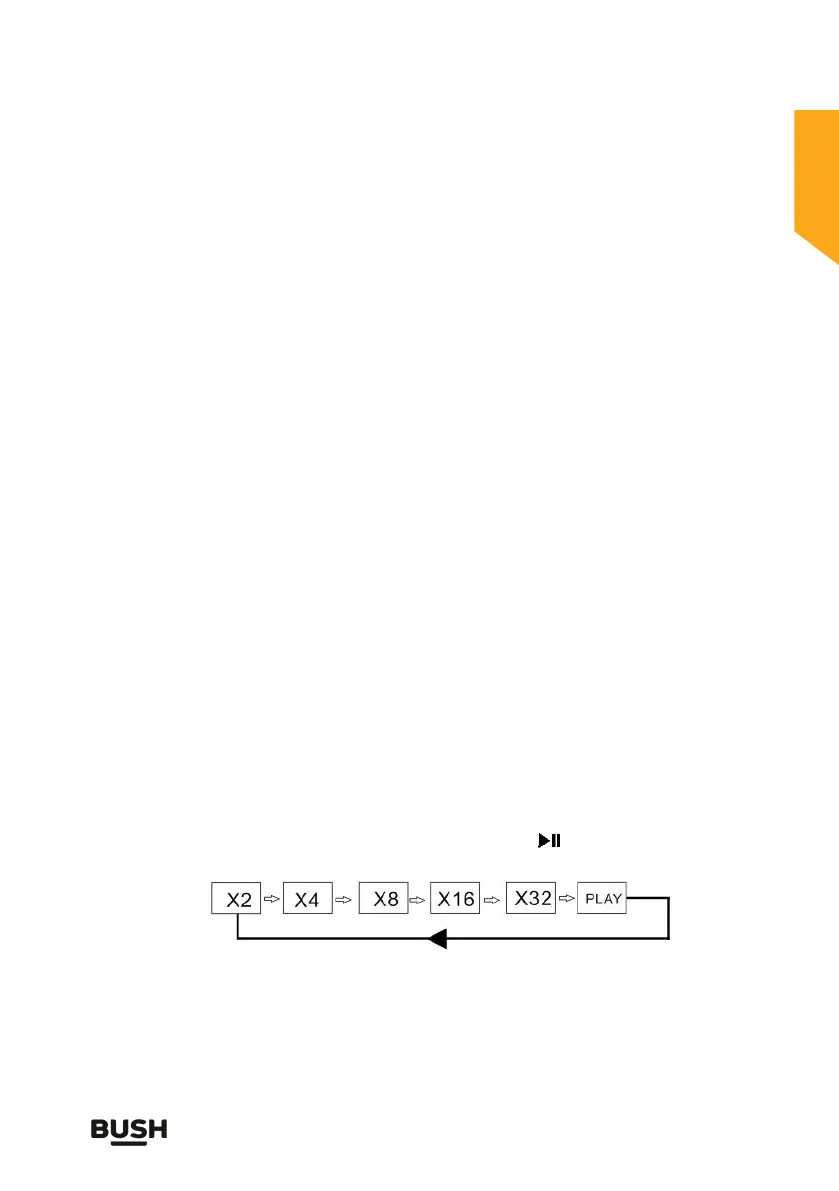
o search forward at speed, press the FAST FORWARD ( ) button.
Press the button again to increase to the next search speed in the
sequence below. Press the PLAY / PAUSE ( ) button at anytime to
resume normal play.



 To Next Page