Or by calling one of our experts on 0345 604 0105
35
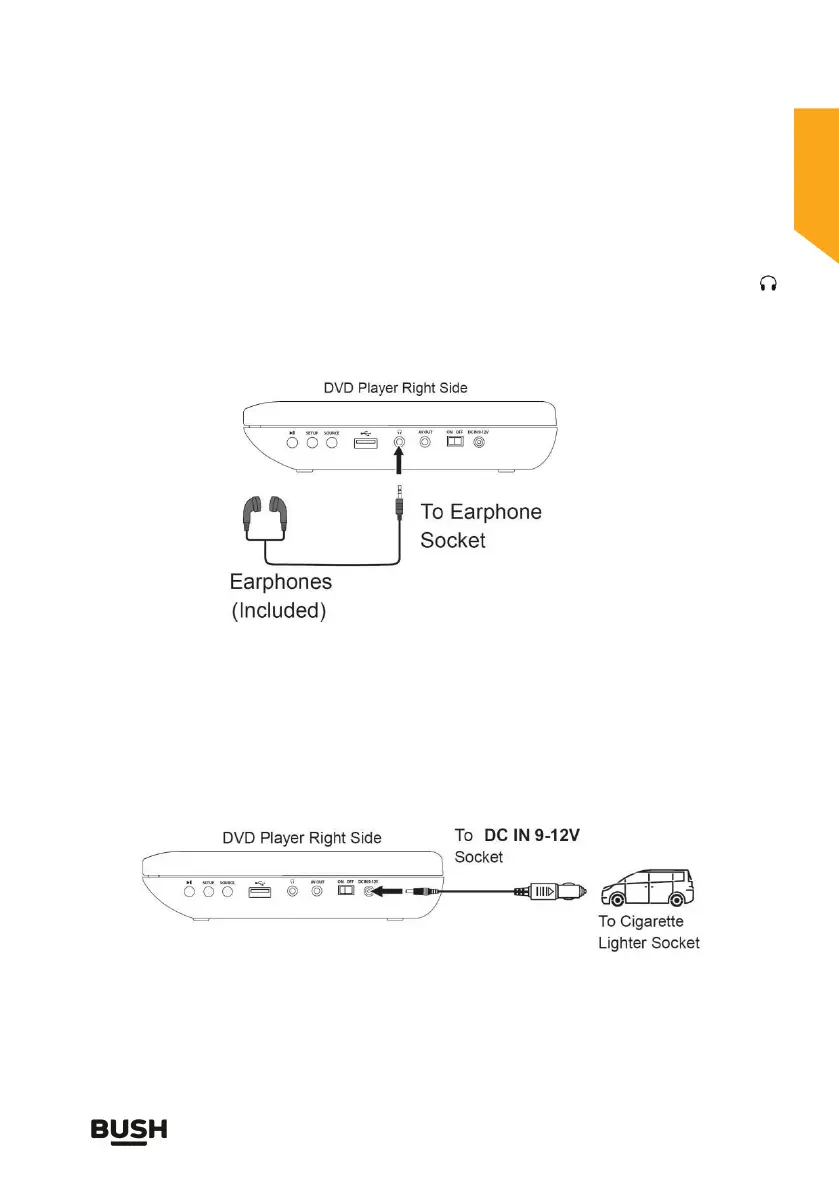
Using headphones
A stereo headphone jack has been provided so that the set can be used
without disturbing others. Plug in the earphones at the point marked ‘ ’
(fig. 10) and adjust the listening volume to your chosen level. Excessive
sound pressure from earphones and headphones can cause hearing loss.
The speakers will not operate when headphones are fitted.
Fig. 10
In-car use
Charging
A cable has been provided for use with a suitable (12V DC only, centre
positive) in-car socket. Plug the car plug into the car socket and the DC
jack into the DC input jack at the side of the DVD player (fig. 11). Ensure the
DVD player is positioned so as not to distract the driver (must be out of line
of sight) when driving.
Fig. 11
Notes:
The car DC plug is fitted with an internal 2 Amp (20mm) fuse.
Prolonged use/charging of the DVD player (without engine running)
will flatten the car battery.



 To Next Page