Page 28 of 61
INSTRUCTION, USE AND
MAINTENANCE MANUAL
EN
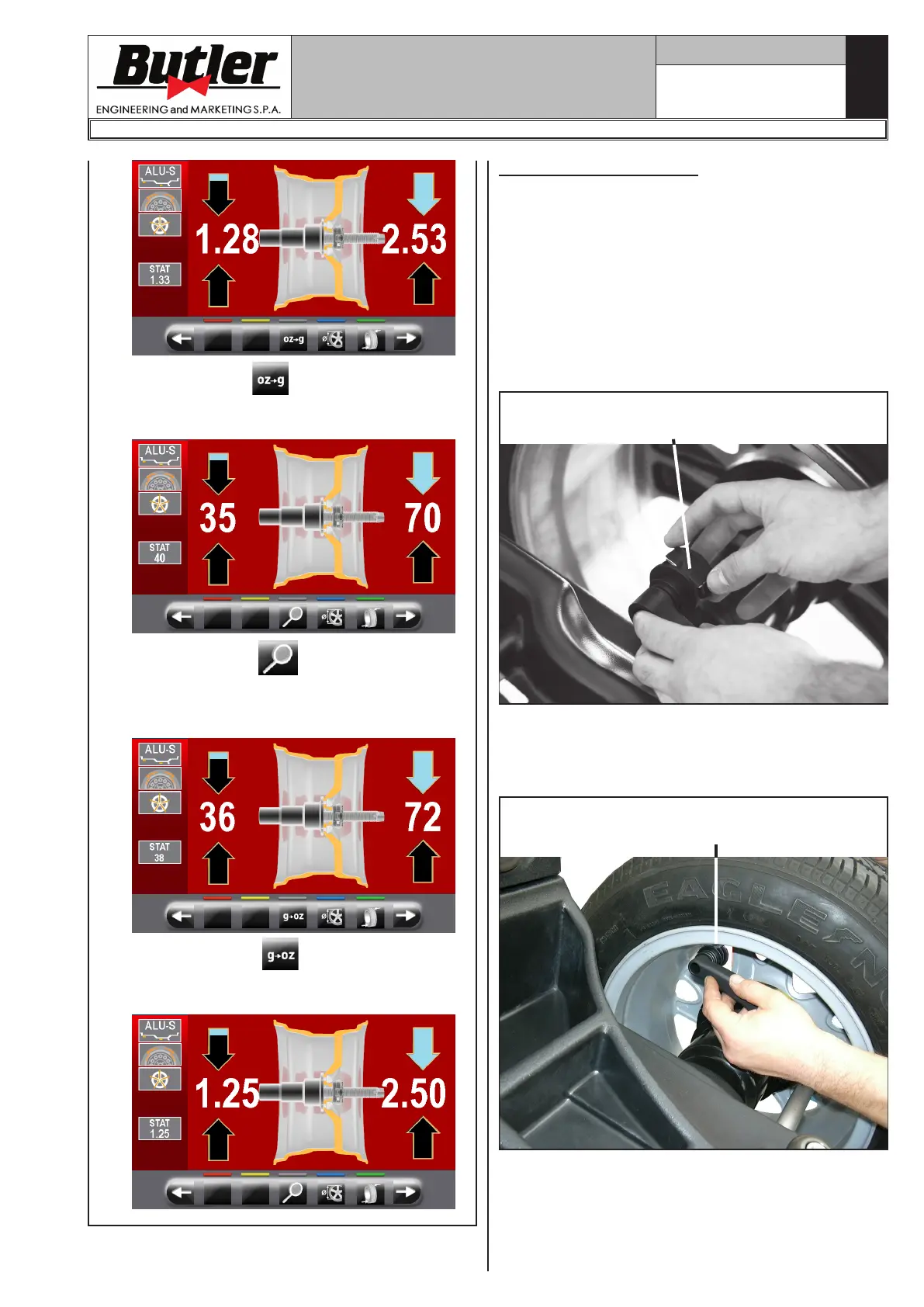
Press the button to set the display of the
weights to be fitted on the wheel in grams. The
following screen will appear on the monitor:
Press the button to display the weight
with maximum resolution (1g) to be fitted on
the wheel, expressed in grams. The following
screen will appear on the monitor:
Press the button to set the display of
the weights to be fitted again in ounces. The
following screen will appear on the monitor:
13.5.1 Balancing mode
The machine has the ability to perform the wheel bal-
ancing (weights fitting) in 4 different ways:
- using the distance-diameter caliper arm with weights
fitting grippers;
- weights fitting at “6 o'clock” (without the use of laser
emitter).
• Weights fitting with distance-diameter caliper
arm.
1. Place the adhesive weight on the arm grippers.
Fit the adhesive weight
in the pliers of the gauge rod
2. Pull out the gauge until the arrows (Fig. 30 ref._6)
both turn green.
3. Rotate the gauge arm until the weight touches the
rim.
Fit weight on the position
where pliers touches the wheel
1296-M024-01
LIBRAK350 - LIBRAK350PRO


 To Next Page