INSTRUCTION, USE AND
MAINTENANCE MANUAL
Page 49 of 61
EN
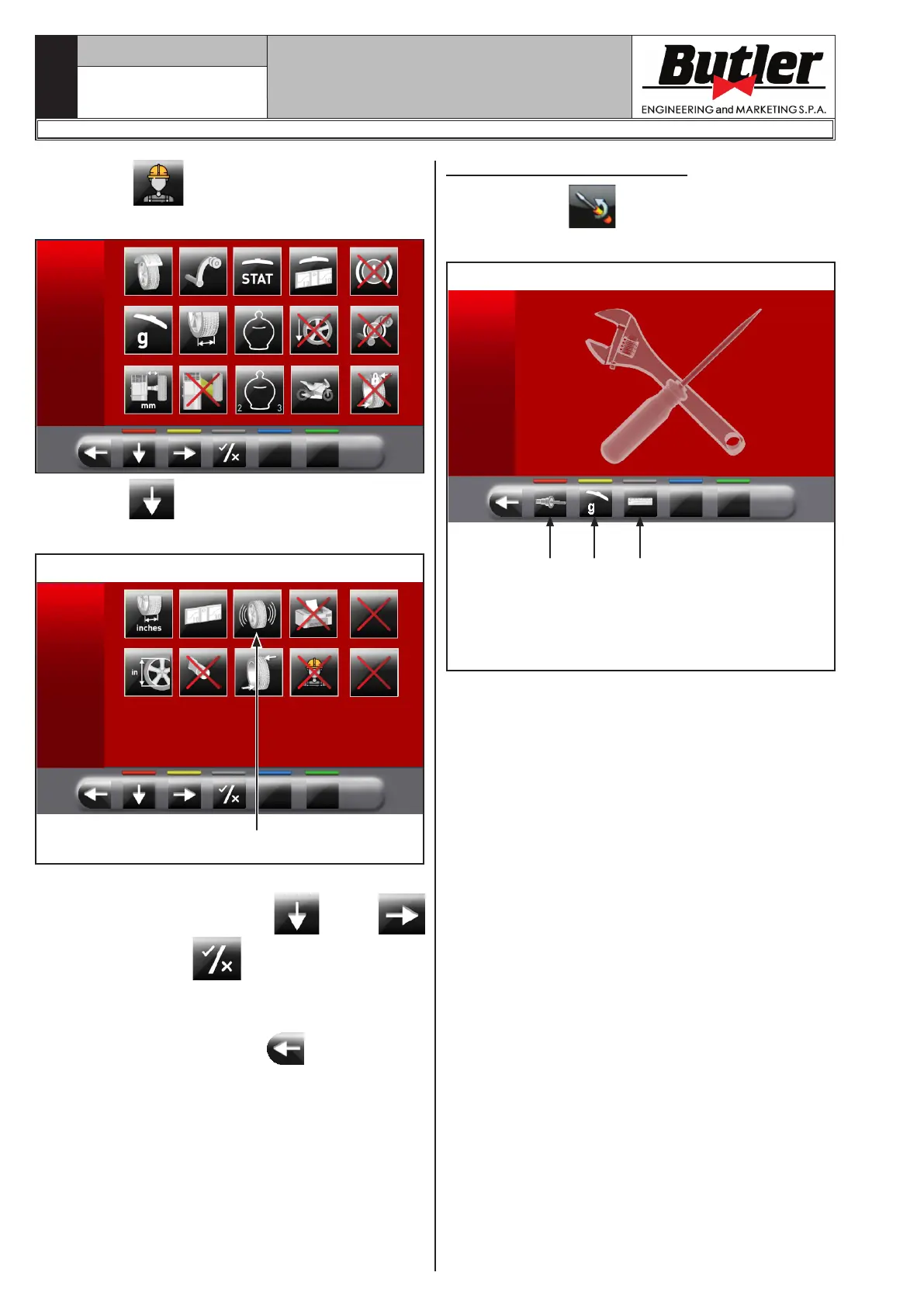
Press button to display the monitor screen to
enable/disable the options as shown below:
Press button several times to display the second
option screen page reported as follows.
Fig. 43
1
To enable / disable individual functions simply high-
light the icon using the buttons
and/or
and press the button
.
Remove symbol “X” on the icon (Fig. 43 ref. 1).
After you select/deselect the desired options, exit the
menu by pressing push button
.
14.3 Machine calibrations
Press the button (Fig. 39 ref. 2) to display the
following screen page on monitor:
Fig. 44
1 2 3
KEY
1 – Chuck “0” (zero) calibration
2 – Weight measurement sensors calibration
3 – Gauges calibration
LIBRAK350 - LIBRAK350PRO
1296-M024-01



 To Next Page