8
EN
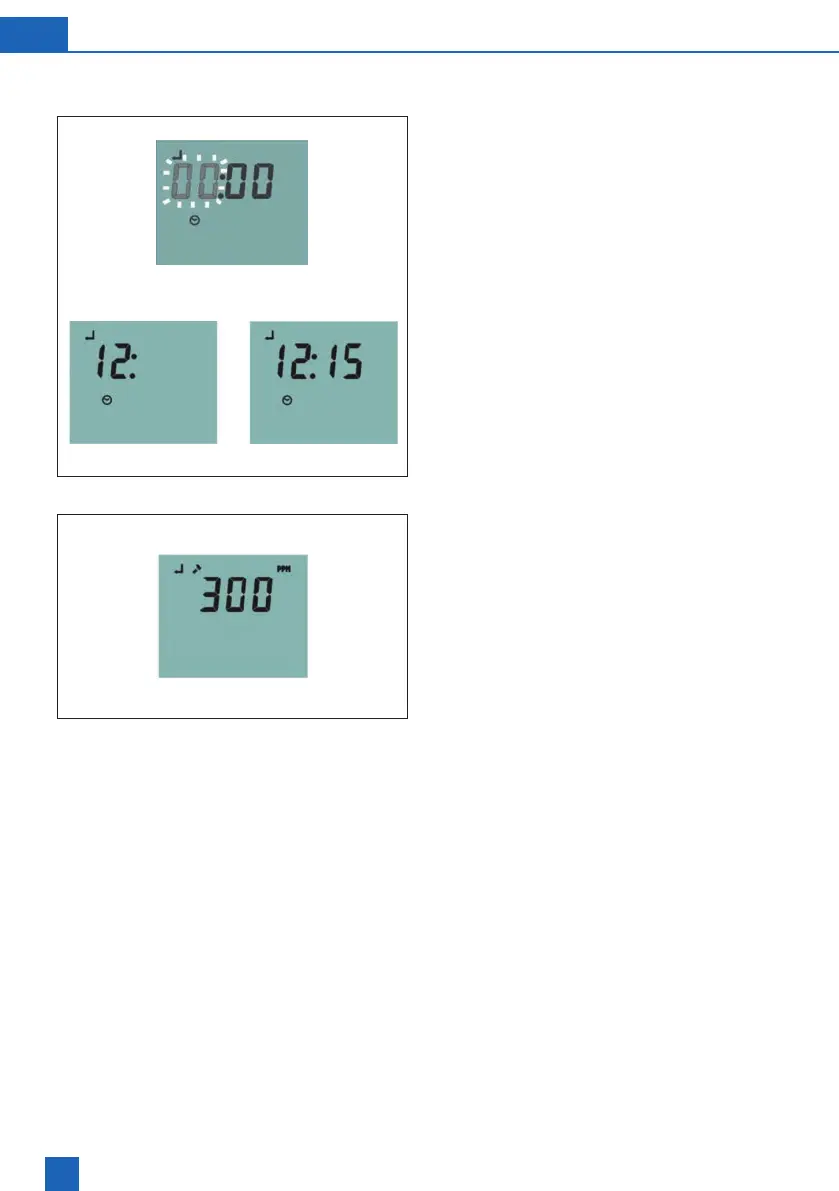
Fig 1
Fig 2
2.3 Programming procedure
1. Setting the time of day
Once service position has been located the SET
and CLOCK symbols will illuminate in the LCD
display to prompt setting the current time.
The rst two digits (00) of the display will ash
prompting the installer to set the hour (Fig 1).
The value is adjusted by using the [UP], [DOWN]
keys. Pressing the [SET] key enters the value.
This can then be repeated to set the minute value.
Once the minutes are set the display will
automatically move on to the set hardness mode.
The SET, HARDNESS and PPM symbols will
illuminate on the LCD display. The default water
hardness value of 300 will be shown (Fig 2).
Fig 2
Note: For some softener models the hardness may
be set in degrees French or degrees German and in
these cases the display will show °F or °D symbol
accordingly.



 To Next Page