7
Note!
Keep the original packaging for later transports.
Attention!
Damage and failure in function by dust, dirtiness and humidity.
Use devices only in a clean and dry environment.
3
4
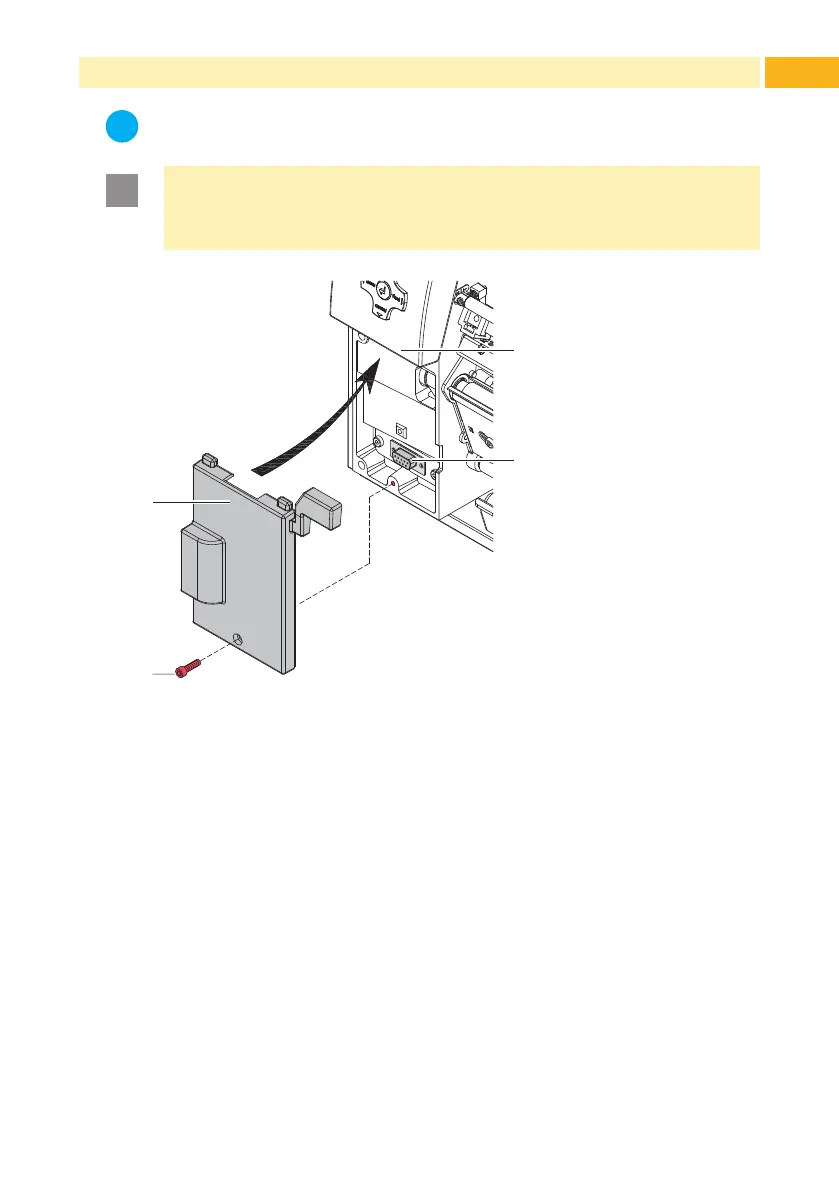
Figure 1 Mounting a peel-off module
Switch off the printer.
Push the guides of the peel-off module (1) under the control panel (3).
Press the module against the printer. Ensure that the SUB-D9 connector of
the module will be connected to the peripheral interface (4) of the printer.
Secure the module with screw (2).
3 Mounting



 To Next Page