Using the Simulator
35
PN:165K400000
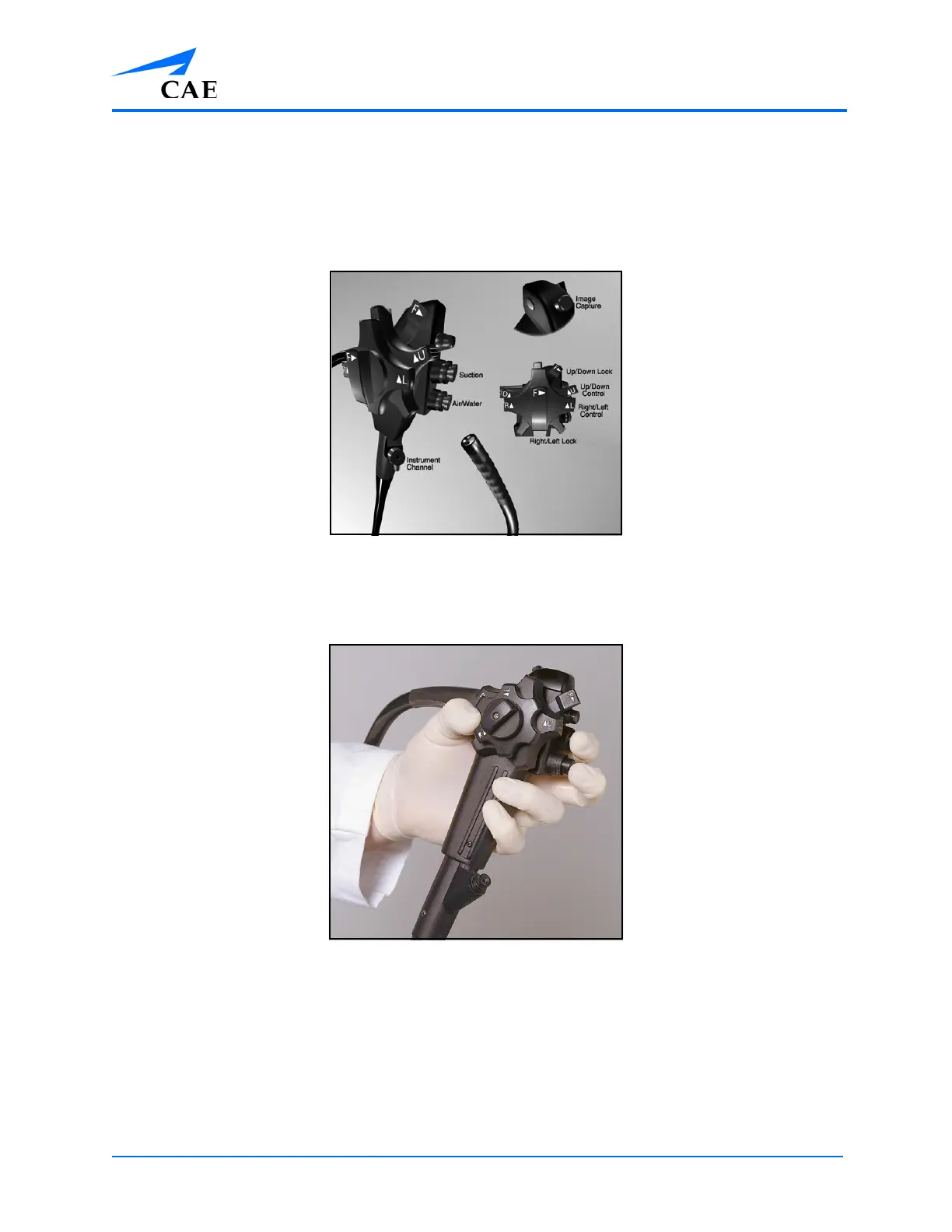
Endoscope
The endoscope is used for the Lower GI and Upper GI modules, including Introduction to
Colonoscopy, Colonoscopy: Biopsy, Colonoscopy: Basic Polypectomy, Introduction to Flexible
Sigmoidoscopy, Flexible Sigmoidoscopy: Supplementary Cases, Introduction to ERCP, Introduction to
EGD and UGI Bleeding.
The Endoscope Diagram
Stand directly in front of the simulator when inserting the endoscope unless otherwise informed
when reviewing the didactic content prior to beginning the module.
The Endoscope Hand Positioning
To select a scope:
1. From the scope holder located on the back of the monitor, select the desired scope
2. Ensure the selected scope is connected
Note: The desired scope should be connected to the simulator by the administrator
during the simulator setup. However, if a different scope is required for the selected
module, the learner must change the scope.



 To Next Page