20
1002595 ISSUE 5 M172 VARIHEAT
VARIHEAT AA SYSTEM OWNER INSTALLATION MANUAL
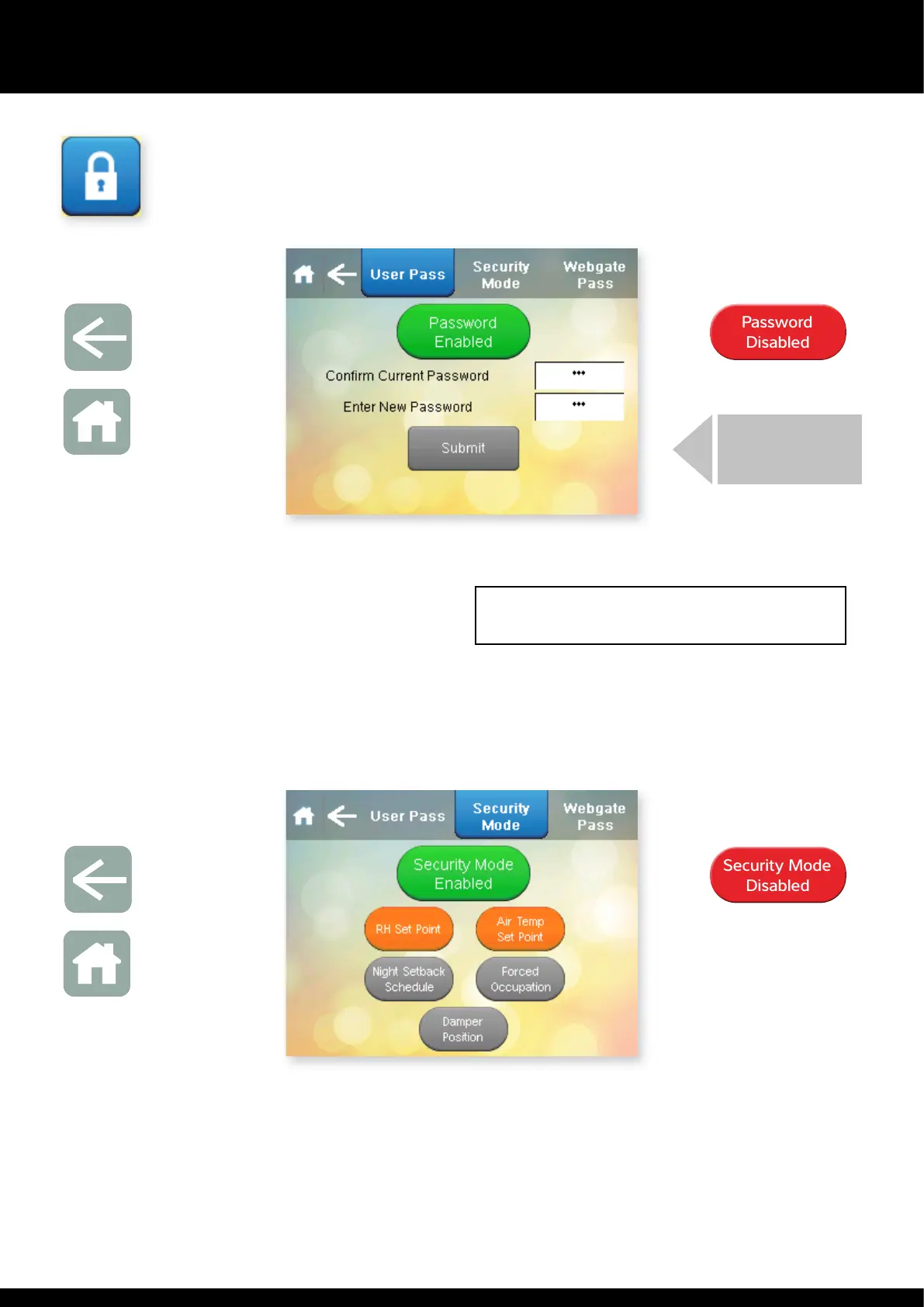
USER PIN:
Toggles between Password
Enabled and Password Disabled
If e User PIN needs to be changed, it can be changed here. The factory
default User PIN is 6016. If e PIN is changed, write it in e box on e right
and keep is manual in a safe place.
The User PIN can be enabled or disabled. Pressing e Password Enabled/
Password Disabled button toggles between to two. When disabled, e User
Settings screen can be accessed wiout e User PIN.
USER SECURITY
Press is button on e Settings menu.
PRESS SUBMIT
Arrow icon
Return to
User Settings
Home icon
Return to
Home screen
Password
Disabled
Password
Disabled
When Security Mode is enabled e buttons shown on e screen can be
toggled between grey and orange. Settings in grey can be modified directly
from e Home screens. Settings in orange are disabled on e Home screens
and must be accessed rough e User Settings.
When Security Mode is disabled, all home screen functions are set to grey and
can be modified on e Home screens.
Press e Arrow to return to e User Settings screen or if noing else needs
to be changed, press Home to return to e Home screen.
Arrow icon
Return to
User Settings
Home icon
Return to
Home screen
Toggles between
Security Mode Enabled and
Security Mode Disabled
Security Mode
Disabled
Security Mode
Disabled


 To Next Page