44
1002595 ISSUE 5 M172 VARIHEAT
VARIHEAT AA SYSTEM OWNER INSTALLATION MANUAL
“Remote Damper” control – terminals 63/64/65
For control of a remote damper when Advanced Frost Protection is active.
These are powered terminals. Terminal 63 is Live (230V) when Advanced Frost
Protection is active. Terminal 63 is fused at 160mA at 230V. TerminaI 64 is
Neutral. Terminal 65 is Ear.
If is facility is not required, ese terminals do not need to be used.
Advanced Frost Protection
(Used when e remote damper is installed).
Advanced Frost Protection behaves in e same way as e standard Frost
Protection wi e addition of closing e remote damper. It also activates
under e same conditions as standard, but will not deactivate when e
temperature rises immediately. Instead, e machine will check e ambient
temperature periodically (every six hours by default).
For each check, e remote dampers are opened for a short time (five minutes),
fresh air is allowed to reach e probe and if e temperature has risen above
e set point en Advanced Frost Protection is deactivated. If e temperature
is still too cold, e machine remains in Advanced Frost Protection mode until
e next check. An option to force a check can be found on e Set Points and
Switches screen in e User Settings but only while Frost Protection is active.
3.7 NETWORK CONNECTION
Local area network connection
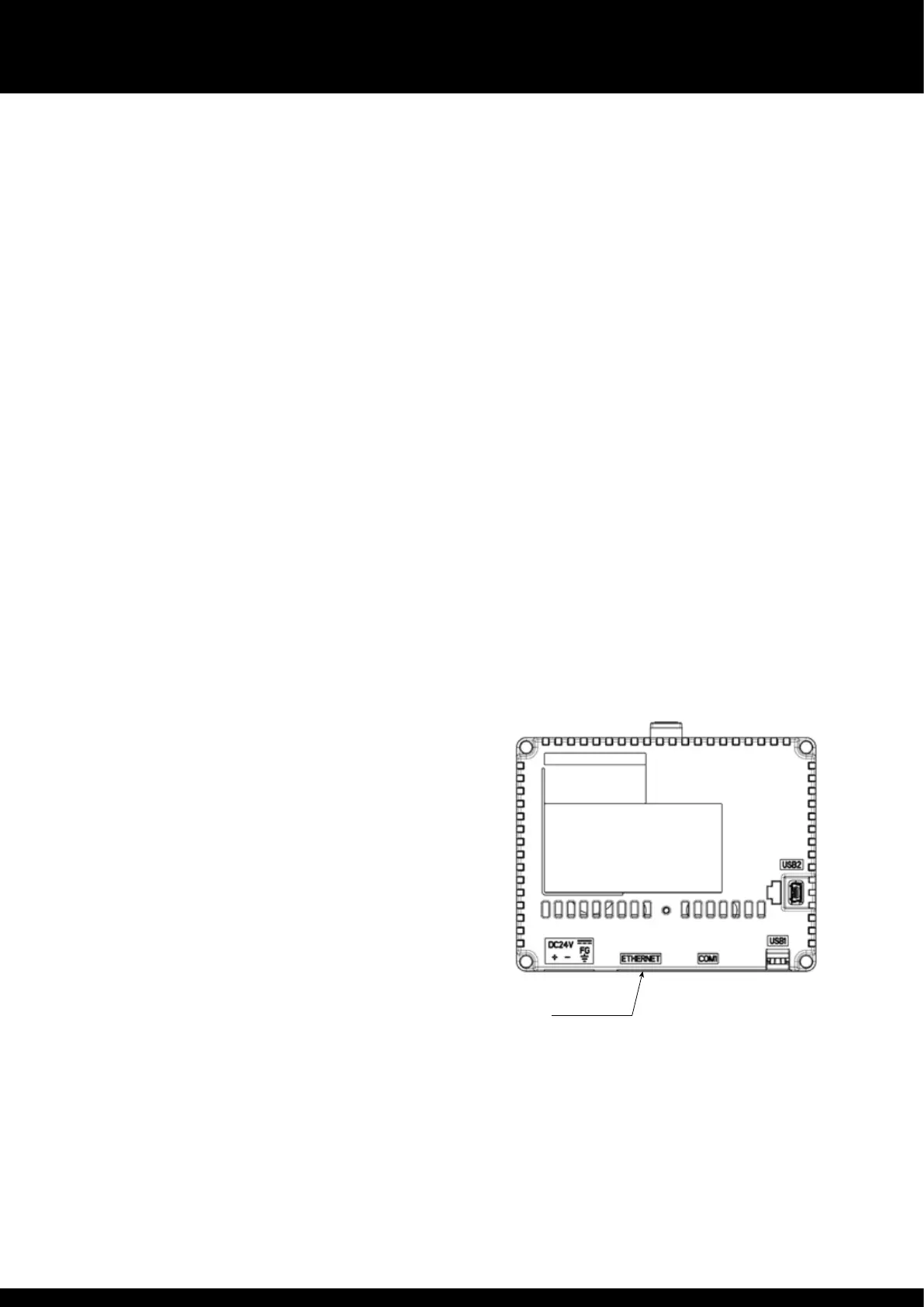
For screen mirroring to function (see Section 2.2 Remote access) e Variheat
touchscreen must be connected to a LAN (local area network). The RJ45
Eernet port on e back of e touchscreen should be used. The Eernet
controller supports e MDI/MDIX auto-crossover cable function, and may be
used wi eier T568A or T568B wiring standards.
The default network IP address for e Variheat is 192.168.1.150, but may be
changed as required (see section 2.1 Network setting).
If e Variheat is only to be accessed by devices connected to e same
network, no furer network setup is necessary. If e Variheat is to be accessed
from devices NOT connected to e same network, it is necessary to set port
forwarding to e network IP address of e Variheat.
Ports to be forwarded
80
6000
6002
If e Variheat is to be accessed from devices NOT connected to e same
network, a static public IP address for e network is recommended. If your ISP
(internet service provider) is not able to provide a static IP address, ird party
solutions are available to provide a static IP address, which may involve a cost.
Once set up, e Variheat may be accessed from an ActiveX enabled browser
such as Internet Explorer, or a mobile device using e Vijeo Design’Air app. See
section 2.2 Remote access for more details.
RJ45
Eernet
port


 To Next Page