14
1002595 ISSUE 5 M172 VARIHEAT
VARIHEAT AA SYSTEM OWNER INSTALLATION MANUAL
2.0 USER SETTINGS
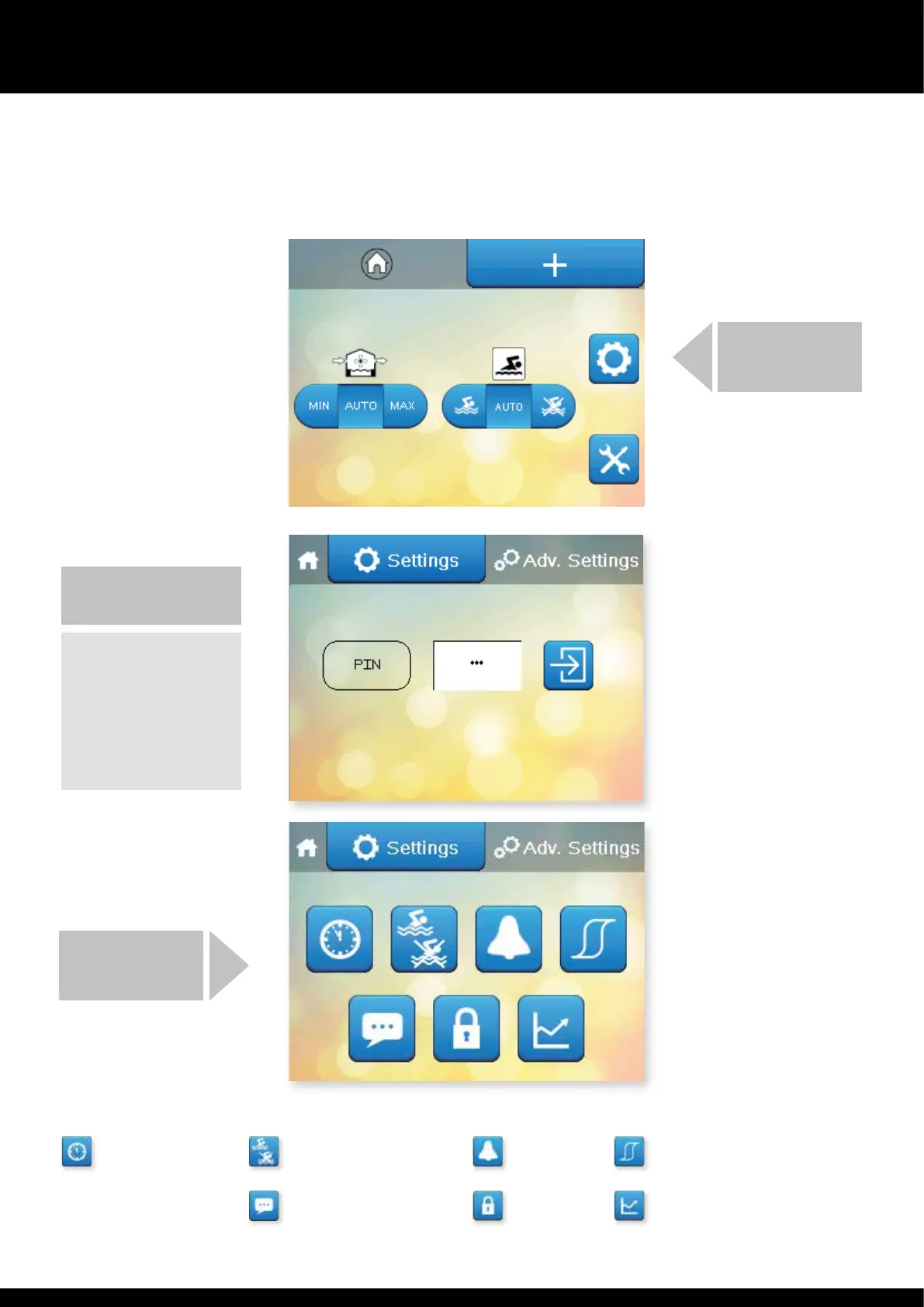
The main User Settings screens are protected by a PIN code. User Settings can be accessed by pressing e cog button on e second Home screen.
Controller Clock Occupied/Unoccupied periods Alarms Set Points and Switches
Language User Security Data Monitoring
USER SETTINGS
INSERT THE PIN AND PRESS
THE ARROW
The default PIN for accessing
e User Settings is 6016.
The Danerm Group
recommend is is changed.
Security options and record of
PIN. (See page 20.)
THE SETTINGS
SCREEN APPEARS
Settings


 To Next Page