15
1002595 ISSUE 5 M172 VARIHEAT
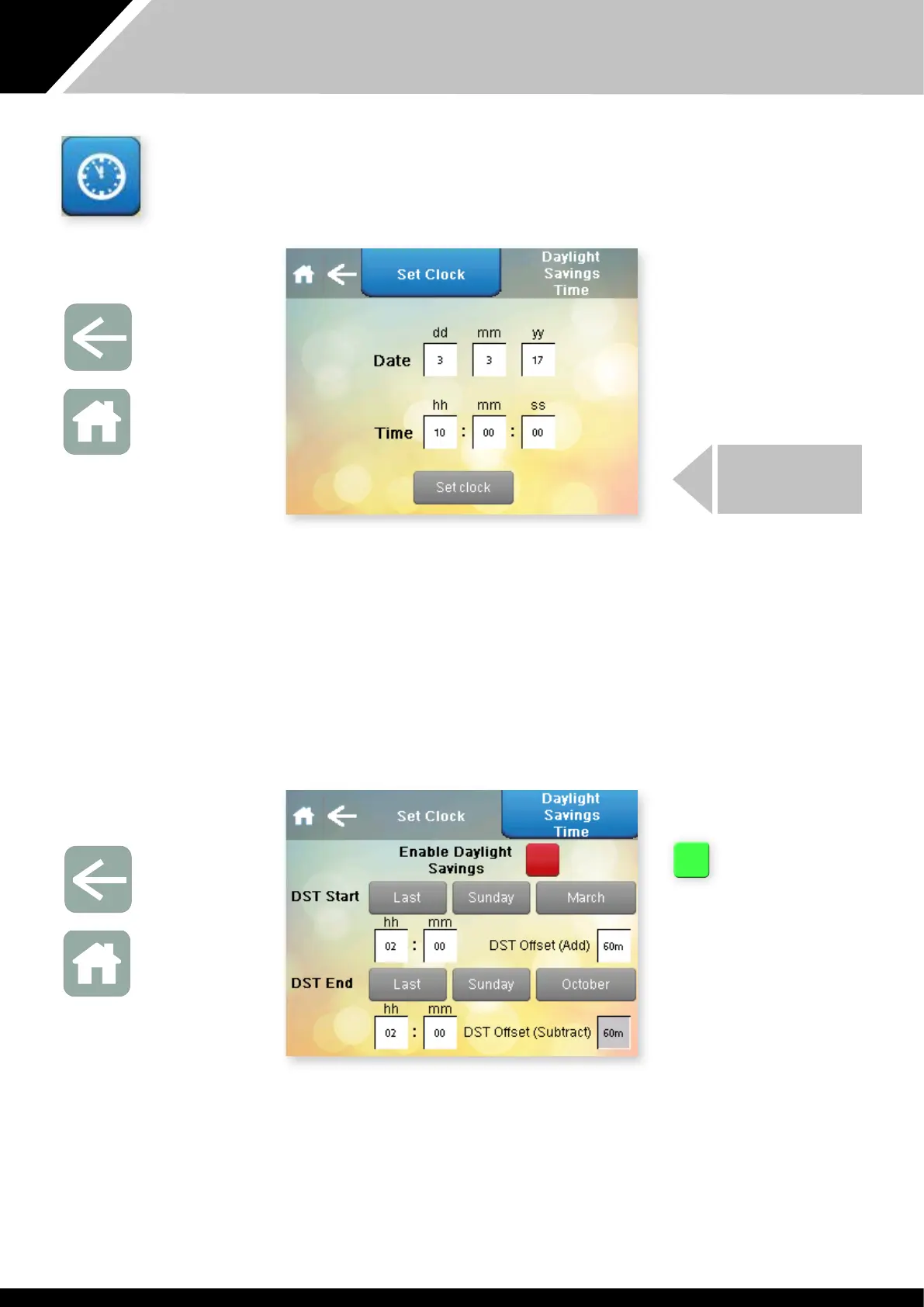
To change e date or time, press e white box wi e number to be
changed. Press Set Clock when e date and time are correct.
Press e Arrow to return to e User Settings screen or if noing else needs
to be changed, press Home to return to e Home screen.
Once e time and date have been set is should not need to be done again
as long as e Variheat is On or in Standby. The clock has a battery reserve
fitted which, when charged, has an operating time of ree days so at
isolating e Variheat unit for short periods will not reset e clock. It may be
necessary to set e clock if e Variheat is isolated from power or if ere is an
interruption to e power supply which lasts longer an ree days.
DAYLIGHT SAVING TIME
This button is red when
daylight saving is disabled
and green when daylight
saving is enabled.
Press e button to
manually toggle between
enabled and disabled.
Default factory settings are UK daylight saving periods and will change
automatically on e dates set in is screen. Where e daylight saving times
and dates are different to ose shown, ey can be changed here.
Press e Arrow to return to e User Settings screen or if noing else needs
to be changed, press Home to return to e Home screen.
CONTROLLER CLOCK
Press is button on e Settings menu.
PRESS SET CLOCK
Arrow icon
Return to
User Settings
Home icon
Return to
Home screen
Arrow icon
Return to
User Settings
Home icon
Return to
Home screen


 To Next Page