6
1002595 ISSUE 5 M172 VARIHEAT
VARIHEAT AA SYSTEM OWNER INSTALLATION MANUAL
1.2 HOW TO USE THE VARIHEAT
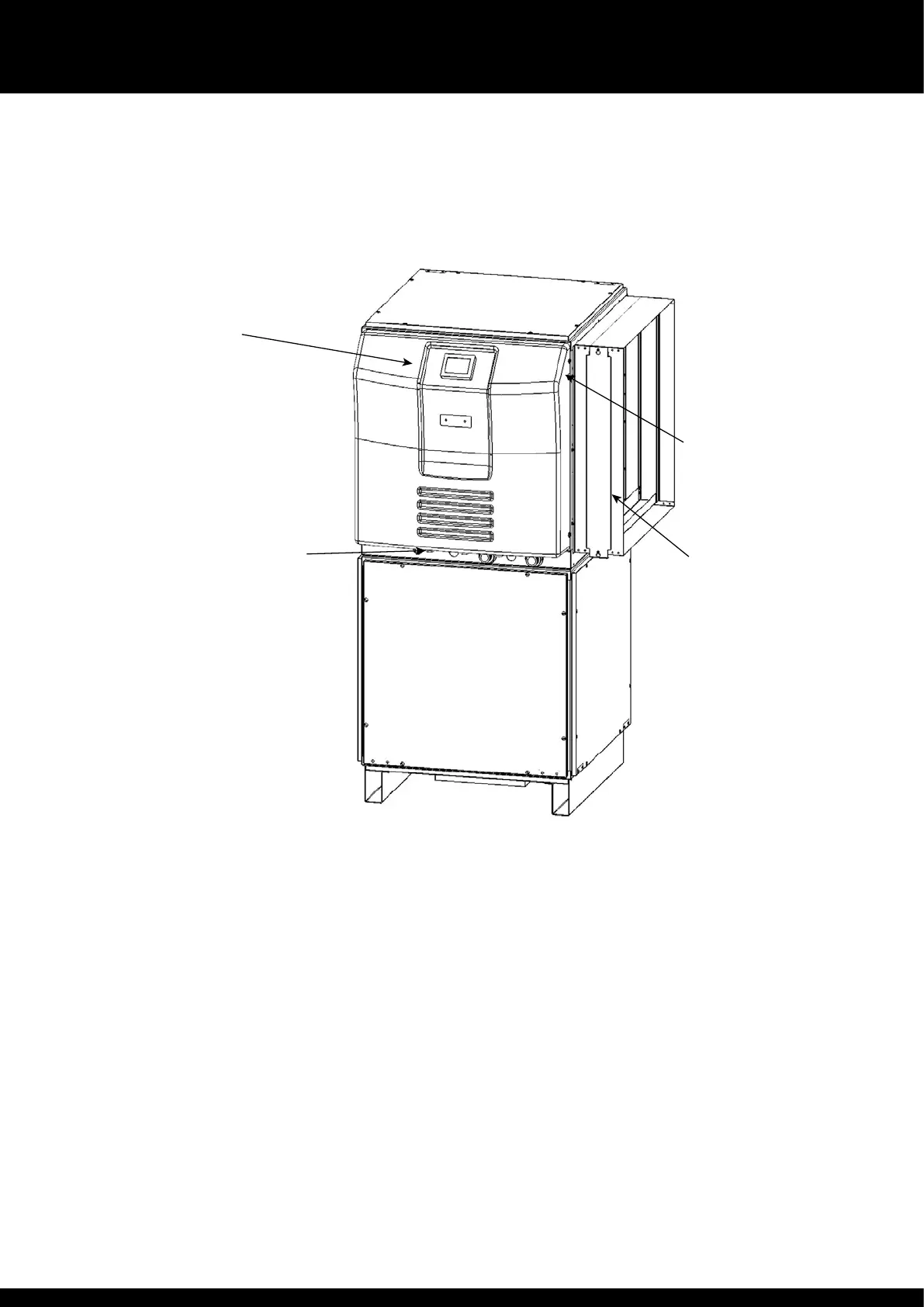
Power light – when illuminated red, power is connected to e Variheat.
Caution – e Variheat system remains powered and live. Ensure e
Variheat is isolated from e power supply before any servicing or electrical
work commences. When unlit, power is disconnected but remote interfaces
connected to e Variheat from oer systems may still be live.
Eernet port – for connection to a local area network. (See page 44.)
Touchscreen user interface – display of operating condition and access to
settings. (See page 7.)
For installation options see section 3.0.
Power light
Refrigeration module
Fan module
Touchscreen user
interface.
Eernet port on rear of
screen
Cable entry points


 To Next Page